VPN Appliance Vulnerability Response: Containment and Recovery Steps
Isolating the network edge before patching prevents attackers from using the compromised tunnel as a persistent backdoor into your internal systems.
Disconnect the appliance from the network immediately to stop active exploitation. Preserve logs for forensic analysis. Rotate all credentials that may have traversed the tunnel. Apply vendor patches or replace the device. Monitor for lateral movement. Update your IT asset inventory to reflect the new security posture and patch levels.
First hour
The initial response to a confirmed vulnerability in a VPN appliance focuses on stopping active exploitation. You must assume the attacker has already established a foothold. The primary goal is to sever the connection between the external threat and your internal network. Do not attempt to patch the device while it remains connected to the internet. Patching requires rebooting or restarting services, which can trigger alert mechanisms that notify an attacker of your detection. This allows them to wipe logs or escalate privileges before you regain control.
Isolate the appliance by blocking traffic at the firewall or by disconnecting the physical uplink. This action stops data exfiltration and prevents further lateral movement. If you use a load balancer, remove the compromised unit from the pool. Redirect legitimate traffic to a maintenance page or a secondary appliance if available. This maintains business continuity for users who do not require immediate access. Document the exact time of isolation. This timestamp is critical for correlating logs from other security tools.
- Block inbound and outbound traffic to the appliance IP addresses at the perimeter firewall.
- Remove the appliance from any load balancer or high-availability cluster.
- Capture a memory dump if the device supports live forensics without rebooting.
- Notify the incident response team and secure the command channel.
- Preserve system logs and authentication logs in a secure, offline location.
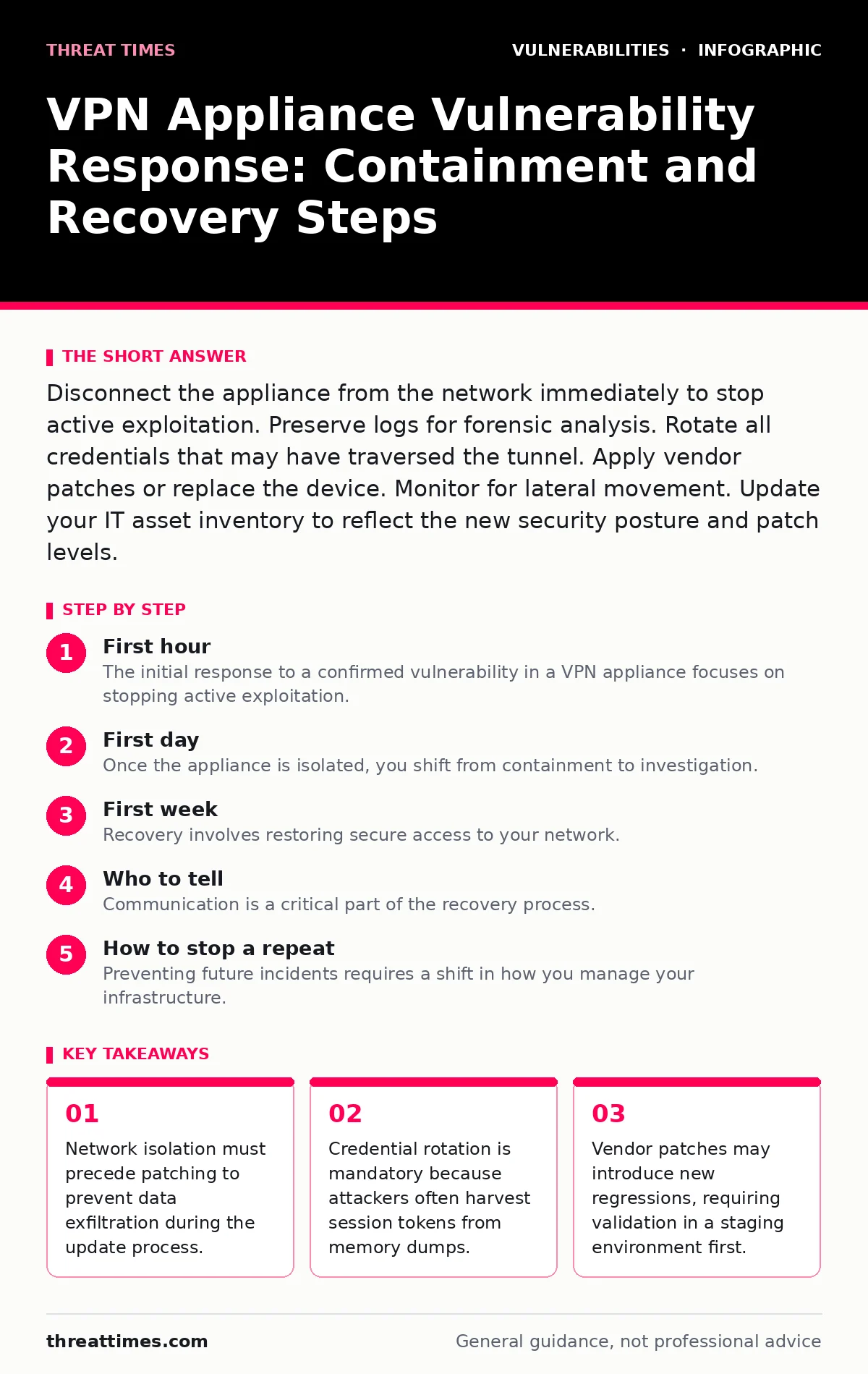
First day
Once the appliance is isolated, you shift from containment to investigation. You need to determine the scope of the breach. Did the attacker move laterally into your internal network? Did they exfiltrate data? Review the authentication logs for unusual login times or source IP addresses. Look for successful logins from known malicious indicators. Cross-reference these logs with your endpoint detection and response data. This helps you identify if any internal servers were accessed via the VPN tunnel.
Check for changes to the appliance configuration. Attackers often modify firewall rules or create new administrative accounts to maintain access. Compare the current configuration against a known good baseline. If you do not have a baseline, you must treat the device as fully compromised. Do not trust any configuration stored on the device. Export the configuration files for analysis, but do not load them onto a new device. This step is part of effective risk-based vulnerability management, where you prioritize remediation based on the actual impact rather than just the vulnerability score.
Analyze network flow data. Look for large data transfers originating from the VPN segment. Identify destinations that do not align with normal business operations. If you find evidence of data exfiltration, you must prepare for regulatory notification. This process is similar to handling OAuth misconfigurations, where the breach of trust extends beyond the immediate service to user data. Document every finding. This evidence will support your recovery decisions and legal requirements.
First week
Recovery involves restoring secure access to your network. You have two options: patch the existing appliance or replace it. Patching is faster but risky if the attacker modified the firmware. Replacement is safer but requires provisioning and configuration. If you choose to patch, apply the vendor update in a staging environment first. Verify that the patch resolves the vulnerability without introducing new issues. This mirrors the caution needed when addressing OpenSSL vulnerabilities, where a single bad update can break connectivity for thousands of users.
If you replace the appliance, do not restore the old configuration. Create a new configuration from scratch. This ensures that any hidden backdoors or malicious scripts are not reintroduced. Generate new encryption keys and certificates. Rotate all administrative passwords. Do not reuse credentials from the compromised device. This is non-negotiable. Attackers often harvest credentials from memory dumps or keyloggers installed on the appliance.
Validate the new setup. Test connectivity from multiple external locations. Verify that authentication policies are enforced correctly. Ensure that multi-factor authentication is required for all administrative access. Monitor the new appliance closely for the first 48 hours. Look for failed login attempts or unusual traffic patterns. This period is critical for detecting any residual compromise. Update your IT asset inventory to reflect the new hardware or software version. This ensures that future CVE monitoring alerts are accurate and relevant.
Who to tell
Communication is a critical part of the recovery process. You must notify internal stakeholders and potentially external parties. Inform your executive leadership about the incident and the steps taken to mitigate it. They need to understand the business impact and any potential reputational risk. Notify your legal team if personal data may have been exposed. They will determine if regulatory notifications are required.
Inform your users that VPN access may be temporarily unavailable or require re-authentication. Provide clear instructions on what they need to do. If you rotated credentials, they must update their passwords. If you changed the authentication method, they must enroll in the new system. Clear communication reduces support tickets and prevents user frustration.
Notify your insurance carrier if you have cyber insurance. They may require specific documentation or steps to be taken to validate a claim. Provide them with the timeline of the incident and the actions taken. This ensures that you comply with policy requirements.
See also: 7 Common Incident Response Runbook Errors And How To Fix Them
How to stop a repeat
Preventing future incidents requires a shift in how you manage your infrastructure. Relying on vendor patches alone is insufficient. You must implement defense-in-depth strategies. Segment your network so that the VPN appliance cannot directly access sensitive internal resources. Use jump servers or bastion hosts for administrative access. This limits the blast radius of a compromise.
Implement strict access controls. Use role-based access control to limit who can configure the appliance. Require multi-factor authentication for all administrative sessions. Monitor administrative actions in real-time. Alert on any changes to firewall rules or user accounts. This helps you detect compromise early.
Regularly audit your configurations. Compare them against security baselines. Look for deviations that could indicate misconfiguration or compromise. This is similar to how you would handle CI/CD pipeline vulnerabilities, where continuous monitoring is essential for security.
Integrate your VPN management into your broader security operations. Use automated tools to check for new vulnerabilities. Subscribe to vendor security advisories. Test patches in a staging environment before deploying them to production. This reduces the risk of downtime and ensures that patches are effective.
Key takeaways
- Network isolation must precede patching to prevent data exfiltration during the update process.
- Credential rotation is mandatory because attackers often harvest session tokens from memory dumps.
- Vendor patches may introduce new regressions, requiring validation in a staging environment first.
Frequently asked questions
Should I disconnect the VPN appliance from the network immediately?
Yes, isolate the appliance by blocking traffic at the firewall or disconnecting the uplink. This stops active exploitation and prevents data exfiltration. Do not power it off, as this destroys forensic evidence in volatile memory.
Can I restore the configuration from a backup?
Only if you are certain the backup was taken before the compromise occurred. If there is any doubt, create a new configuration from scratch. Restoring a compromised backup can reintroduce backdoors and malicious scripts.
Do I need to rotate user passwords?
Yes, if the attacker had access to the appliance's memory or logs. They may have harvested session tokens or credentials. Rotating passwords ensures that any stolen credentials are no longer valid.
How do I know if the attacker moved laterally?
Review network flow data and endpoint detection logs. Look for unusual connections from the VPN segment to internal servers. Cross-reference authentication logs with known malicious indicators to identify compromised accounts.
How this guide was produced: written by the Threat Times editorial team with AI assistance, checked against the public references listed below, and reviewed when the facts change. See our editorial policy or report an error.