Endpoint Detection and Response Examples: How EDR Stops Hidden Threats
Endpoint detection and response systems record process trees to reconstruct attack steps, allowing defenders to trace lateral movement that traditional antivirus software misses entirely.

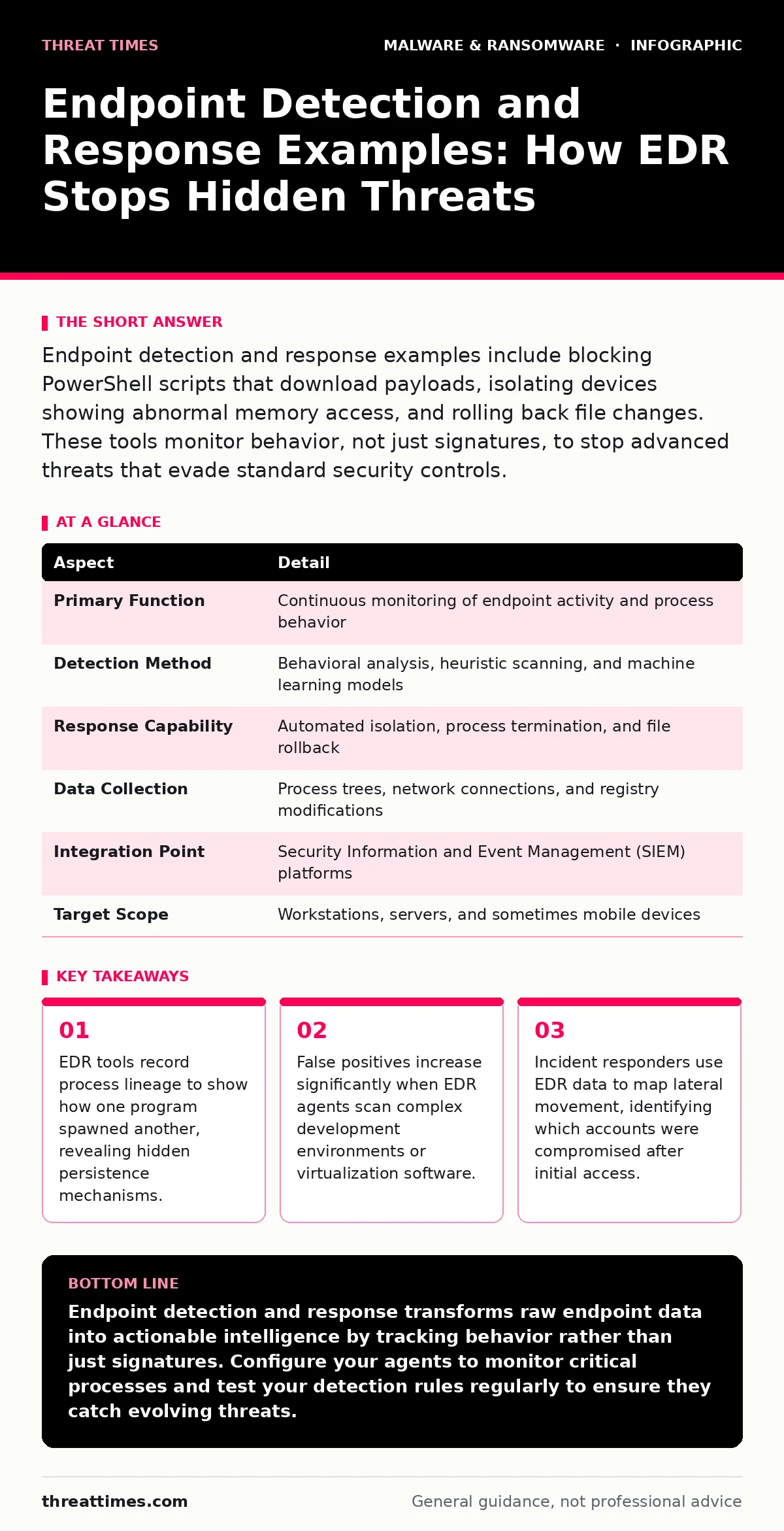
Endpoint detection and response examples include blocking PowerShell scripts that download payloads, isolating devices showing abnormal memory access, and rolling back file changes. These tools monitor behavior, not just signatures, to stop advanced threats that evade standard security controls.
Understanding Endpoint Detection and Response Mechanisms
Endpoint detection and response (EDR) is a security technology that continuously monitors, records, and analyzes activity on computers and servers. It goes beyond traditional antivirus by focusing on behavior rather than known file signatures.
An everyday analogy helps clarify the difference. Traditional antivirus acts like a metal detector at an airport, scanning for known dangerous items. EDR acts like a security camera system with motion sensors. It records everything that happens, even if the object looks harmless, and alerts you when movement patterns suggest theft or intrusion.
| Aspect | Detail |
|---|---|
| Primary Function | Continuous monitoring of endpoint activity and process behavior |
| Detection Method | Behavioral analysis, heuristic scanning, and machine learning models |
| Response Capability | Automated isolation, process termination, and file rollback |
| Data Collection | Process trees, network connections, and registry modifications |
| Integration Point | Security Information and Event Management (SIEM) platforms |
| Target Scope | Workstations, servers, and sometimes mobile devices |
The system installs an agent on each endpoint. This agent collects telemetry data about running processes, file system changes, and network connections. It sends this data to a central management console or analyzes it locally. The engine looks for sequences of actions that match known attack patterns.
Concrete Endpoint Detection and Response Examples
People search for endpoint detection and response examples to understand how these tools function in real scenarios. The following cases illustrate specific detection capabilities.
PowerShell Execution Monitoring
Attackers often use legitimate system tools like PowerShell to run malicious scripts. EDR agents detect when PowerShell executes encoded commands or downloads files from the internet. It blocks the execution and records the command line for forensic analysis. This stops living-off-the-land attacks that bypass signature-based checks.
Process Injection Detection
Malware sometimes injects its code into a trusted process, like a web browser, to hide. EDR monitors memory space and detects when a process writes code to another process’s memory. It identifies this as process injection. The tool then terminates the injected code and alerts the security team.
Lateral Movement Tracing
When an attacker compromises one computer, they often try to move to another. EDR records credential usage and remote service calls. It detects when a compromised account attempts to access multiple machines rapidly. This behavior signals lateral movement. The system can automatically isolate the affected devices to prevent further spread.
What People Usually Get Wrong
Misunderstanding EDR capabilities leads to poor security outcomes. Many organizations treat these tools as a replacement for basic hygiene. This is a dangerous misconception. EDR adds a layer of detection and response. It does not fix weak password policies or unpatched software.
Another common error is ignoring alert fatigue. EDR systems generate thousands of alerts daily. If analysts cannot triage these effectively, they miss critical signals. Teams must tune their detection rules to reduce noise. They should suppress alerts for known benign activities in their specific environment.
Some users believe EDR provides complete visibility. It does not. EDR relies on the agent running correctly. If an attacker disables the agent or uses rootkit techniques, the system becomes blind. Defenders must monitor agent health and ensure it cannot be easily stopped by unauthorized users.
Understanding the ransomware attack chain helps contextualize where EDR fits. EDR is most effective during the execution and lateral movement phases. It is less useful during initial phishing delivery if the endpoint is not yet compromised. Defense strategies must layer multiple controls to cover all phases.
The Hidden Costs of Deployment
Implementing EDR introduces operational overhead that many teams underestimate. The agents consume system resources. On older hardware or high-performance servers, this can cause noticeable latency. Performance tuning is necessary to balance security monitoring with user experience.
Storage costs also rise significantly. EDR retains detailed telemetry data for months or years. This data must be stored securely and accessed quickly during investigations. Organizations must plan for the infrastructure required to hold this volume of information.
Integrating with Broader Security Frameworks
EDR does not operate in isolation. It feeds data into Security Information and Event Management (SIEM) systems. This integration allows for correlation across different data sources. For instance, an EDR alert about unusual login attempts can be correlated with firewall logs to confirm an external attack.
Automated response plays a key role here. When EDR detects a confirmed threat, it can trigger playbooks. These playbooks might isolate the device, disable the compromised user account, or block IP addresses. Automation reduces the time between detection and containment.
Consider how polymorphic malware evolves to change its signature. EDR’s behavioral approach remains effective against these variants because it watches what the code does, not what it looks like. This makes EDR a critical component in defending against advanced threats that change their appearance to evade static scanners.
Common Misconfigurations and Fixes
Security teams often misconfigure EDR settings, weakening their effectiveness. One frequent mistake is setting detection thresholds too low. This generates excessive noise and leads to alert fatigue. Analysts become desensitized and may ignore real threats.
Another issue is failing to update detection rules. Attack techniques evolve constantly. Outdated rules miss new tactics. Teams must regularly review and update their detection logic. This includes incorporating threat intelligence feeds and updating machine learning models.
Practical Steps for Effective Use
You can improve your EDR posture with specific actions. Start by defining your baseline. Understand what normal activity looks like in your environment. This helps distinguish between routine operations and suspicious behavior.
Next, prioritize high-value assets. Ensure EDR agents are installed and configured on servers and workstations holding sensitive data. These endpoints face the highest risk and provide the most value during an investigation.
Regularly test your detection capabilities. Use red team exercises to simulate attacks. Verify that the EDR system detects and responds to these simulations as expected. This validates your configuration and identifies gaps.
Review recovery point objective policies alongside EDR. While EDR helps stop attacks, it does not replace backups. If an attack succeeds, you need clean data to restore. Ensure your backup strategy is independent of the endpoints being monitored.
FAQ
Q: Does endpoint detection and response replace antivirus software?
A: No, EDR complements antivirus but does not replace it. Antivirus blocks known threats quickly, while EDR detects unknown behaviors and aids in incident response. Both are needed for layered defense.
Q: How do I reduce false positives from my EDR system?
A: Tune your detection rules to exclude known benign processes and scripts. Review alerts regularly to identify patterns of false positives. Adjust sensitivity thresholds based on your environment’s specific activity levels.
Q: Can EDR detect threats on offline devices?
A: EDR agents can record activity locally while offline. However, they cannot communicate with the central console or receive updates. Detection relies on local rules, which may be less comprehensive than cloud-connected analysis.
Q: What is the difference between EDR and XDR?
A: Endpoint Detection and Response focuses specifically on endpoints. Extended Detection and Response (XDR) aggregates data from endpoints, network, and cloud. XDR provides broader visibility and correlation across multiple security domains.
Key takeaways
- EDR tools record process lineage to show how one program spawned another, revealing hidden persistence mechanisms.
- False positives increase significantly when EDR agents scan complex development environments or virtualization software.
- Incident responders use EDR data to map lateral movement, identifying which accounts were compromised after initial access.
Endpoint detection and response transforms raw endpoint data into actionable intelligence by tracking behavior rather than just signatures. Configure your agents to monitor critical processes and test your detection rules regularly to ensure they catch evolving threats.
Frequently asked questions
Does endpoint detection and response replace antivirus software?
No, EDR complements antivirus but does not replace it. Antivirus blocks known threats quickly, while EDR detects unknown behaviors and aids in incident response. Both are needed for layered defense.
How do I reduce false positives from my EDR system?
Tune your detection rules to exclude known benign processes and scripts. Review alerts regularly to identify patterns of false positives. Adjust sensitivity thresholds based on your environment’s specific activity levels.
Can EDR detect threats on offline devices?
EDR agents can record activity locally while offline. However, they cannot communicate with the central console or receive updates. Detection relies on local rules, which may be less comprehensive than cloud-connected analysis.
What is the difference between EDR and XDR?
Endpoint Detection and Response focuses specifically on endpoints. Extended Detection and Response (XDR) aggregates data from endpoints, network, and cloud. XDR provides broader visibility and correlation across multiple security domains.
How this guide was produced: written by the Threat Times editorial team with AI assistance, checked against the public references listed below, and reviewed when the facts change. See our editorial policy or report an error.