How Workplace Monitoring Works: The Technical Lifecycle
Monitoring systems rely on continuous data exfiltration and local caching, creating persistence that survives standard network disconnects and device reboots.

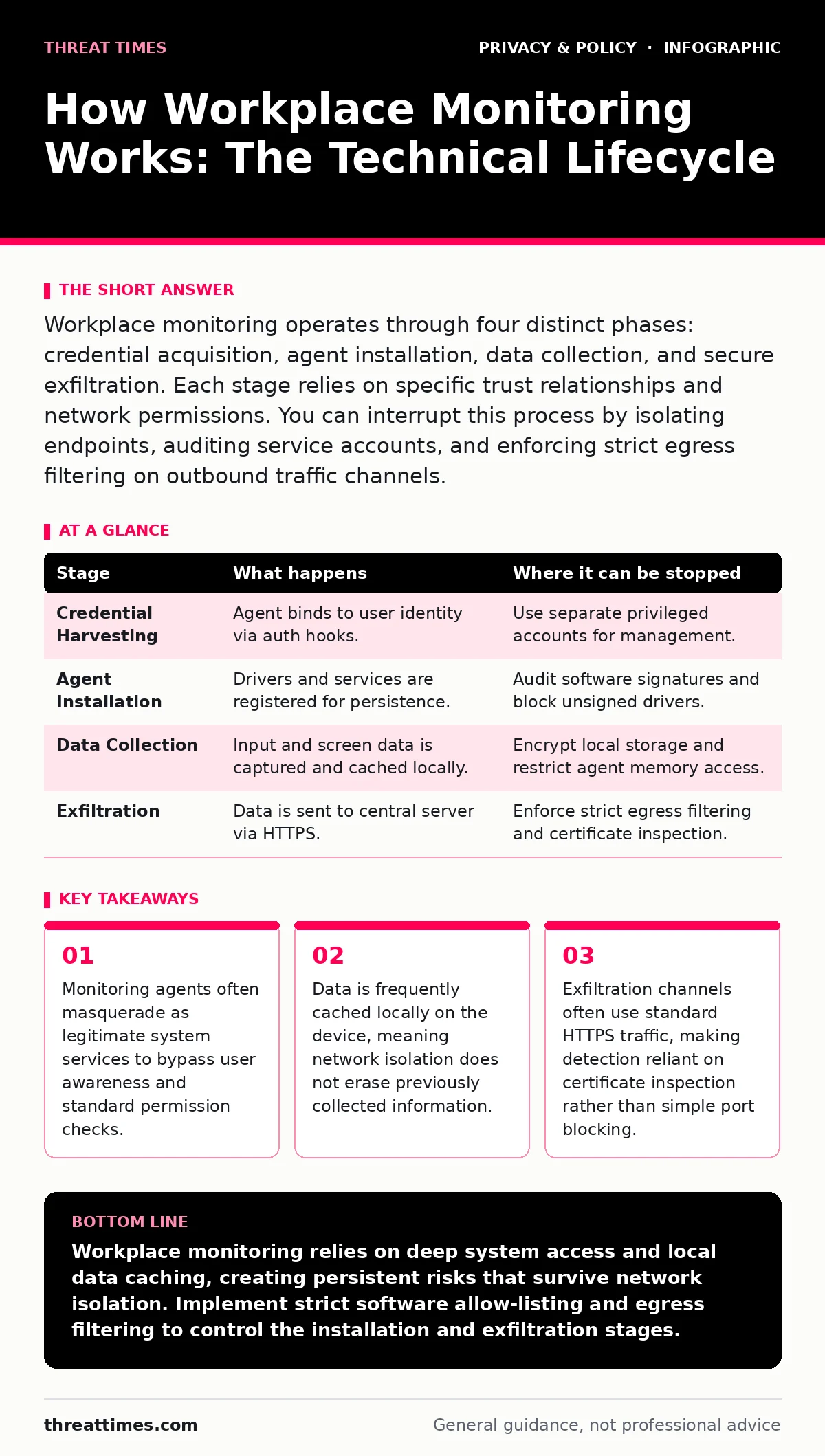
Workplace monitoring operates through four distinct phases: credential acquisition, agent installation, data collection, and secure exfiltration. Each stage relies on specific trust relationships and network permissions. You can interrupt this process by isolating endpoints, auditing service accounts, and enforcing strict egress filtering on outbound traffic channels.
The Foundation of Trust and Access
Workplace monitoring does not begin with software installation. It begins with the establishment of trust. Organizations rely on the principle of least privilege, but monitoring tools often require elevated privileges to function effectively. This creates a tension between security control and operational visibility. The monitoring system must be granted access to the operating system kernel or specific hardware interfaces. Without this access, it cannot capture keystrokes, screen content, or network packets.
This initial trust is usually established through group policy objects or mobile device management profiles. These mechanisms push configuration changes to enrolled devices. The device accepts these changes because it trusts the issuing authority. This trust relationship is the single point of failure for the entire monitoring architecture. If an attacker compromises the management channel, they can push malicious monitoring agents indistinguishable from legitimate ones.
### Stage 1: Credential Harvesting and Identity Binding
The first operational stage involves binding the monitoring agent to a specific user identity. The agent does not monitor the device; it monitors the person using the device. To do this, it must capture login credentials or session tokens. This often happens at the operating system level before the user interface fully loads. The agent hooks into the authentication subsystem, capturing the hash of the password or the Kerberos ticket.
This stage relies on the assumption that the user has already authenticated. The monitoring software piggybacks on this existing trust. It does not ask for a password; it reads the one already provided to the system. This is why local administrator rights are often required for the installation process. Without them, the agent cannot hook into the security subsystem. This creates a hidden cost: the monitoring system itself becomes a high-value target for privilege escalation attacks.
### Stage 2: Agent Installation and Persistence
Once identity is bound, the monitoring agent installs its core components. This is not a simple application install. It involves registering drivers, creating scheduled tasks, and modifying registry keys or configuration files. The goal is persistence. The agent must survive reboots, updates, and user attempts to remove it. It achieves this by embedding itself in the boot sequence or by running as a high-priority system service.
The agent often uses digital signatures to appear legitimate. Security software trusts these signatures, allowing the agent to bypass standard defenses. This is a double-edged sword. The same signature that allows the agent to install also allows it to disable other security controls if the vendor permits it. This stage establishes the technical footprint of the monitoring system. It is the moment where the device’s operational model shifts from user-controlled to organization-controlled.
### Stage 3: Data Collection and Local Caching
With persistence established, the agent begins collecting data. This includes keystrokes, screenshots, application usage, and network traffic. The collection method varies by technology. Keyloggers hook into the input stack. Screen capture tools read from the graphics driver. Network monitors copy packets from the network interface card. This data is not immediately sent to the central server. It is first cached locally on the device.
Local caching is a critical design feature. It ensures that data is not lost if the device goes offline. However, it also means that sensitive information resides on the endpoint in plain text or weakly encrypted formats. This stage relies on the performance overhead of continuous monitoring. The agent must balance data granularity with system responsiveness. If it consumes too much CPU or memory, users will notice the lag. This creates a trade-off between surveillance depth and user productivity.
### Stage 4: Secure Exfiltration and Central Storage
The final stage is the transmission of collected data to a central repository. This exfiltration happens over the network. The agent packages the cached data into encrypted bundles. It then sends these bundles to the monitoring server using standard protocols like HTTPS. This makes the traffic look like normal web browsing. Firewalls and intrusion detection systems often allow this traffic because it uses standard ports and valid certificates.
The reliance on HTTPS is both a strength and a weakness. It protects the data from eavesdropping. However, it also hides the content from network security tools that cannot inspect encrypted traffic without certificate pinning or decryption keys. This stage completes the loop. The data moves from the endpoint to the organization’s control. It is now available for analysis, alerting, and compliance reporting.
| Stage | What happens | Where it can be stopped |
|---|---|---|
| Credential Harvesting | Agent binds to user identity via auth hooks. | Use separate privileged accounts for management. |
| Agent Installation | Drivers and services are registered for persistence. | Audit software signatures and block unsigned drivers. |
| Data Collection | Input and screen data is captured and cached locally. | Encrypt local storage and restrict agent memory access. |
| Exfiltration | Data is sent to central server via HTTPS. | Enforce strict egress filtering and certificate inspection. |
Interrupting the Monitoring Lifecycle
You can interrupt this process at several points. The most effective point is during the installation phase. By auditing the software signatures and verifying the source of all installed drivers, you can prevent unauthorized agents from persisting. This requires a strict software allow-listing policy. Only pre-approved software can run on the device.
Another interruption point is during exfiltration. By implementing strict egress filtering, you can block outbound traffic to unknown destinations. This forces monitoring agents to use approved channels. You can then inspect the traffic on those channels. This requires deep packet inspection capabilities. It is resource-intensive but effective.
The Hidden Costs of Surveillance
Workplace monitoring introduces significant hidden costs. The primary cost is the expansion of the attack surface. Every monitoring agent is a potential vulnerability. If the agent has a bug, it can be exploited to gain access to the device. This is why you must treat monitoring software with the same scrutiny as any other third-party application.
Another cost is the erosion of trust. Users who know they are monitored may change their behavior. This can lead to reduced productivity and increased turnover. It also creates a legal and ethical burden for the organization. You must ensure that the monitoring is proportionate and necessary. This aligns with the principles of consent management and the protection of personal data.
Integration with Broader Privacy Controls
Monitoring systems do not operate in a vacuum. They intersect with other privacy controls. For example, location tracking can be used to verify that remote workers are in authorized locations. This adds another layer of data collection that must be managed carefully. Similarly, encrypted messaging apps can bypass standard monitoring tools. This creates blind spots in the surveillance architecture.
You must also consider mobile app permission abuse. Monitoring apps on mobile devices often request excessive permissions. This can lead to unauthorized access to contacts, photos, and other sensitive data. This is a common issue with third-party cookies and tracking pixels on the web. The same principles of minimal permission and user consent apply.
Managing Risk Through Policy
Effective management of workplace monitoring requires a clear policy. This policy should define what data is collected, why it is collected, and how it is stored. It should also define the retention period for the data. Data should be deleted when it is no longer needed. This reduces the risk of exposure in the event of a breach.
You should also consider the use of tools like Tor Browser for sensitive activities. While this may seem counterintuitive in a monitored environment, it can protect user privacy when accessing public resources. The key is to balance organizational security with individual privacy rights. This balance is delicate and requires ongoing review and adjustment.
Key takeaways
- Monitoring agents often masquerade as legitimate system services to bypass user awareness and standard permission checks.
- Data is frequently cached locally on the device, meaning network isolation does not erase previously collected information.
- Exfiltration channels often use standard HTTPS traffic, making detection reliant on certificate inspection rather than simple port blocking.
Workplace monitoring relies on deep system access and local data caching, creating persistent risks that survive network isolation. Implement strict software allow-listing and egress filtering to control the installation and exfiltration stages.
Frequently asked questions
Can I detect if a monitoring agent is installed on my device?
You can detect agents by reviewing running services, installed drivers, and network connections. Look for unknown processes with high privileges or unexpected outbound traffic.
Does disconnecting from the network stop monitoring?
No. Most agents cache data locally. Disconnecting prevents exfiltration but does not stop collection or erase previously cached data.
How can I protect my privacy while using company devices?
Use separate accounts for personal and work activities. Avoid storing sensitive personal data on work devices. Use end-to-end encrypted communication for personal matters.
What is the legal basis for workplace monitoring?
The legal basis varies by jurisdiction. It generally requires consent, necessity, and proportionality. Consult local laws and privacy regulations to ensure compliance.
How this guide was produced: written by the Threat Times editorial team with AI assistance, checked against the public references listed below, and reviewed when the facts change. See our editorial policy or report an error.