IT Asset Inventory: How Blind Spots Create Unpatched Risks
Most organizations cannot trace the software running on their own endpoints, leaving critical systems exposed to known exploits for months without detection.

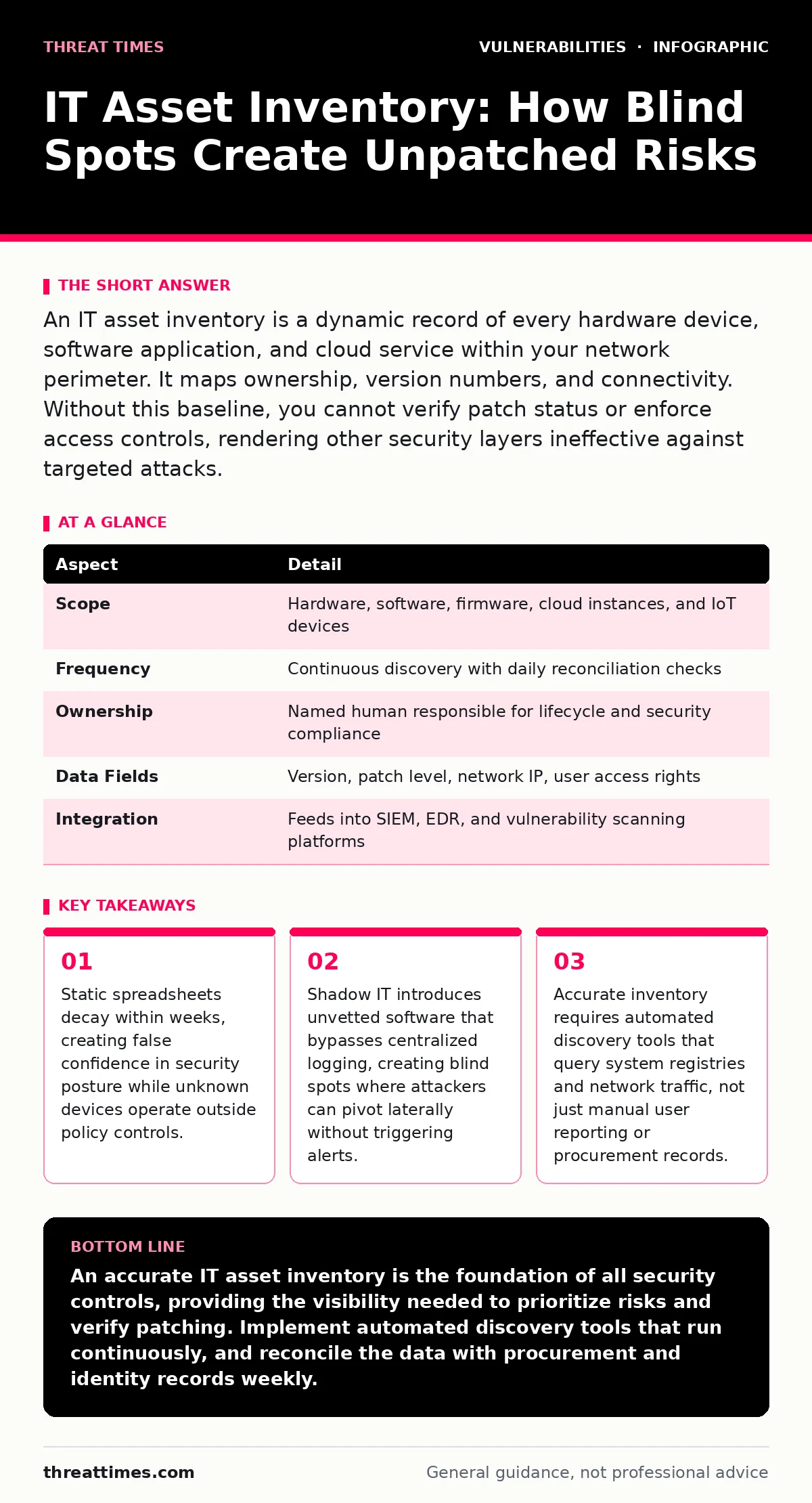
An IT asset inventory is a dynamic record of every hardware device, software application, and cloud service within your network perimeter. It maps ownership, version numbers, and connectivity. Without this baseline, you cannot verify patch status or enforce access controls, rendering other security layers ineffective against targeted attacks.
Why Manual Tracking Fails in Modern Networks
Imagine a library that only tracks books returned to the front desk. Patrons who check out materials through side doors or keep items on their desks remain invisible to the catalog. Your network operates similarly when you rely on manual tracking methods. Procurement records show what you bought, not what is running. They miss personal devices connecting via Wi-Fi, legacy servers left in storage, and virtual machines created by developers for temporary tests.
An IT asset inventory captures the current state of your environment, not the intended state. It records hardware specifications, operating system versions, installed applications, and network connections. This data feeds into vulnerability management and incident response workflows. Without it, you are guessing which systems need patches. You might patch the server you know about while the attacker exploits the forgotten test machine connected to the same VLAN.
| Aspect | Detail |
|---|---|
| Scope | Hardware, software, firmware, cloud instances, and IoT devices |
| Frequency | Continuous discovery with daily reconciliation checks |
| Ownership | Named human responsible for lifecycle and security compliance |
| Data Fields | Version, patch level, network IP, user access rights |
| Integration | Feeds into SIEM, EDR, and vulnerability scanning platforms |
How Discovery Tools Build the Baseline
Automated discovery tools scan your network to build this baseline. They use agent-based and agentless methods. Agents are small programs installed on endpoints that report back to a central console. They provide high fidelity, reading local registries to list every installed application and service. Agentless scanners probe open ports and respond to network requests. They find devices that reject agent installation but reveal their presence through standard protocols.
You must combine both methods. Agents miss headless devices like printers or cameras. Agentless scans miss closed ports or segmented networks. The tool correlates this data with your identity management system. It assigns each device to a user or department. This linkage determines who is responsible for keeping the asset secure. It also helps determine the business criticality of the device. A CEO’s laptop requires different protection levels than a conference room display.
The Hidden Cost of Shadow IT
Shadow IT refers to software and hardware used by employees without explicit IT department approval. It happens when users download tools to solve immediate problems. They use personal cloud storage for file sharing. They install unauthorized messaging apps for team collaboration. These devices and applications often bypass security controls. They lack endpoint detection agents. They do not receive security patches. They operate outside the visibility of your monitoring systems.
An accurate IT asset inventory identifies shadow IT by detecting unexpected network traffic or unusual application signatures. It flags devices that do not match known hardware profiles. It highlights software versions that are not in your approved catalog. Once identified, you can assess the risk. You might decide to block the application if it poses a severe threat. You might provide a sanctioned alternative if the tool offers genuine business value. Ignoring it leaves your perimeter porous.
Linking Inventory to Vulnerability Prioritization
Having a list of assets is useless without context. You must link each asset to known vulnerabilities. This is where vulnerability prioritization becomes critical. Not all vulnerabilities are equal. A critical flaw in a public-facing web server requires immediate attention. A low-severity issue in an internal, isolated printer is less urgent. Your inventory provides the context needed for this decision.
The system cross-references asset data with vulnerability databases. It calculates risk based on exploitability and business impact. It tells you which patches to apply first. It prevents alert fatigue by focusing on threats that matter. This approach supports risk-based vulnerability management. It ensures your team spends time fixing high-risk issues rather than chasing low-impact noise. It transforms a static list into a dynamic risk dashboard.
Common Errors in Asset Management
Many organizations treat inventory as a one-time project. They run a scan, export a spreadsheet, and file it away. This approach fails because environments change daily. New devices join the network. Software updates automatically. Virtual machines spin up and down. The inventory decays rapidly. Within a month, the list is inaccurate. Security decisions based on it become dangerous.
Another common error is incomplete data collection. Teams track hardware but ignore software versions. They list servers but omit mobile devices. They record IP addresses but miss MAC addresses or serial numbers. This incomplete picture prevents effective correlation. You cannot patch what you cannot identify precisely. You cannot isolate a compromised device if you do not know its unique identifier.
Integrating with Application Security
Your inventory should extend to software development environments. This includes containers, serverless functions, and code repositories. Static application security testing (SAST) tools analyze code for flaws before deployment. The inventory tracks where this code runs. It links the application version to the hosting infrastructure. This connection helps trace vulnerabilities from code to runtime.
If a vulnerability is found in a library, the inventory identifies which applications use it. It shows where those applications are deployed. It accelerates remediation by providing exact locations. It prevents the need for manual searches across dozens of servers. This integration bridges the gap between development and operations. It ensures security practices apply to the entire software lifecycle.
Maintaining Accuracy Over Time
Maintaining accuracy requires discipline and automation. You must define clear policies for device onboarding and offboarding. Every new device must register with the inventory system. Every retired device must be removed from active records. Regular audits compare the system data with physical reality. Spot checks verify that listed devices actually exist and are configured correctly.
Training users is also necessary. They must understand why inventory matters. They should report new devices or changes. They should not bypass security controls to install software. Culture supports technology. When users see the value of tracking, they cooperate with discovery tools. They allow agents to run. They provide accurate information during setup. This cooperation reduces friction and improves data quality.
The Role of Secure Development Practices
Secure coding practices reduce the number of vulnerabilities your inventory must track. Parameterized queries prevent SQL injection attacks. Output encoding stops cross-site scripting. Insecure deserialization is mitigated by strict input validation. These practices build security into the software itself. They reduce the reliance on perimeter defenses.
When your applications are secure by design, the inventory reflects a healthier environment. Fewer critical vulnerabilities appear in scans. The risk profile drops. You can focus resources on high-value targets rather than constant firefighting. This synergy between development and operations creates a resilient security posture. It makes the inventory a tool for assurance, not just a list of liabilities.
Key takeaways
- Static spreadsheets decay within weeks, creating false confidence in security posture while unknown devices operate outside policy controls.
- Shadow IT introduces unvetted software that bypasses centralized logging, creating blind spots where attackers can pivot laterally without triggering alerts.
- Accurate inventory requires automated discovery tools that query system registries and network traffic, not just manual user reporting or procurement records.
An accurate IT asset inventory is the foundation of all security controls, providing the visibility needed to prioritize risks and verify patching. Implement automated discovery tools that run continuously, and reconcile the data with procurement and identity records weekly.
Frequently asked questions
How often should I update my IT asset inventory?
You should run discovery scans continuously or at least daily. Manual reviews of the data should happen weekly to catch drift and remove decommissioned items.
What is the difference between asset inventory and CMDB?
An asset inventory tracks every technical component for security purposes. A CMDB focuses on relationships between assets for service management. The inventory is broader and more detailed regarding versions and patches.
Can I use spreadsheets for small networks?
Spreadsheets are prone to human error and decay quickly. Even small networks change frequently. Automated tools provide higher accuracy and save time by eliminating manual entry and verification tasks.
How do I handle guest networks in my inventory?
Guest networks should be segmented and monitored separately. While guests are not your assets, their traffic must be logged. Detecting malicious activity from guest devices helps protect your internal infrastructure.
How this guide was produced: written by the Threat Times editorial team with AI assistance, checked against the public references listed below, and reviewed when the facts change. See our editorial policy or report an error.