Stop Port Scanning: Prioritized Prevention Measures That Actually Work
Blocking IP addresses fails because attackers rotate sources; network segmentation and strict default deny policies remove the risk of exposure entirely.

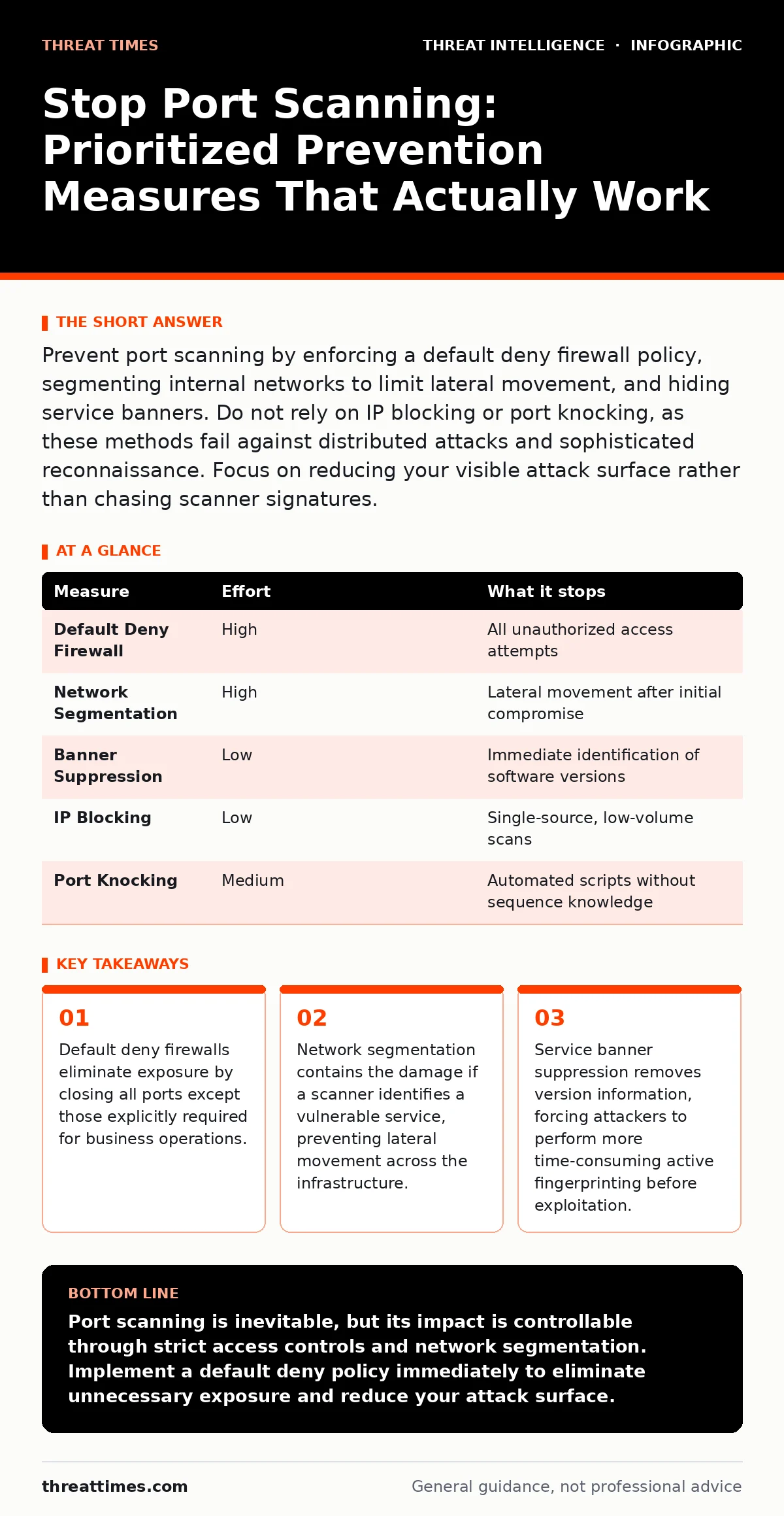
Prevent port scanning by enforcing a default deny firewall policy, segmenting internal networks to limit lateral movement, and hiding service banners. Do not rely on IP blocking or port knocking, as these methods fail against distributed attacks and sophisticated reconnaissance. Focus on reducing your visible attack surface rather than chasing scanner signatures.
The Anatomy of Port Scanning Reconnaissance
Port scanning is the process of sending network packets to specific ports on a host to determine if a service is listening. Attackers use this technique to map your infrastructure before launching an exploit. The scanner sends a request, such as a TCP SYN packet, and waits for a response. An open port replies with a SYN-ACK, while a closed port sends a RST or drops the packet. This mapping reveals which applications are running and where vulnerabilities might exist. You cannot stop every scan attempt, but you can ensure the scan yields no actionable intelligence. The goal is not to block the probe but to make the probe useless.
Why IP Blocking Fails Against Modern Scanners
Many administrators attempt to stop port scanning by blocking the source IP addresses of detected probes. This approach is fundamentally flawed because modern scanning tools distribute traffic across thousands of IP addresses. This technique, known as distributed scanning, makes it impossible to maintain an effective blocklist. Even if you block a single IP, the attacker simply rotates to the next available address in their pool. Maintaining blocklists consumes significant administrative effort and often leads to false positives that block legitimate users. The computational cost of managing these lists outweighs the minimal security benefit they provide.
Enforcing Default Deny Firewall Policies
The most effective prevention measure is implementing a default deny policy on your perimeter firewalls. This policy blocks all inbound traffic unless a specific rule explicitly permits it. You must audit your current firewall rules and remove any rule that allows traffic to unnecessary ports. Only open ports that support critical business functions, such as web servers or email gateways. This approach reduces the attack surface to the absolute minimum. When a scanner probes a closed port, the firewall drops the packet without sending a response. This silence prevents the scanner from confirming the port is closed or open, effectively blinding the reconnaissance effort.
Segmenting Networks to Limit Exposure
Network segmentation divides your infrastructure into smaller, isolated zones. If an attacker scans your network and finds a vulnerable service in the guest Wi-Fi segment, segmentation prevents them from moving to the corporate database segment. You should design your network so that each segment has its own firewall rules. Internal firewalls must also enforce default deny policies between segments. This containment strategy ensures that a single compromised host does not grant access to the entire network. Segmentation adds complexity to network management but provides a critical layer of defense against lateral movement.
Hiding Service Banners and Version Information
When a port is open, the service running on it often sends a banner containing version information. Attackers use this data to identify specific vulnerabilities associated with that software version. You can mitigate this by configuring services to suppress or obfuscate these banners. For example, a web server should not reveal its exact software version in HTTP headers.
This forces attackers to perform active fingerprinting, which generates more traffic and is easier to detect. Hiding version information does not close the port, but it increases the effort required for the attacker to select the correct exploit. This delay can be the difference between a successful breach and a failed attempt.
The Role of Deception Technology in Detection
Deception technology places decoy assets within your network that appear to be real servers or databases. These honeypots have no legitimate business purpose, so any connection to them is immediately suspicious. When a port scanner probes these decoys, it triggers an alert. This method shifts the focus from preventing scans to detecting them early. Deception technology is particularly useful for identifying internal threats or compromised hosts that are scanning for lateral movement. It provides high-fidelity alerts with low false positive rates because no legitimate user should ever access a decoy. Integrating deception with your threat intelligence program enhances your overall visibility.
Measures That Provide False Sense of Security
Several common measures provide a false sense of security against port scanning. Port knocking, which requires a specific sequence of connection attempts before opening a port, is often bypassed by modern scanners that automate the sequence. Rate limiting can slow down scans but does not stop them, especially when attackers use low-and-slow techniques. Geo-blocking restricts access based on location, but attackers frequently use proxies and VPNs to mask their origin. Relying on these methods alone leaves your infrastructure exposed. You must combine these techniques with fundamental controls like default deny policies and segmentation.
| Measure | Effort | What it stops |
|---|---|---|
| Default Deny Firewall | High | All unauthorized access attempts |
| Network Segmentation | High | Lateral movement after initial compromise |
| Banner Suppression | Low | Immediate identification of software versions |
| IP Blocking | Low | Single-source, low-volume scans |
| Port Knocking | Medium | Automated scripts without sequence knowledge |
Integrating Scanning Data with Threat Intelligence
Port scanning data can enrich your threat intelligence platform. When you detect scanning activity, you can correlate the source IPs with known malicious indicators. This correlation helps prioritize incidents and identify coordinated attacks. You can use autonomous system numbers (ASNs) in threat intelligence to understand the origin of the scanning traffic. If multiple scans originate from the same ASN, it may indicate a targeted campaign. Integrating this data into your incident response runbooks ensures that your team reacts consistently and efficiently. This integration turns raw scanning data into actionable intelligence.
Checklist for Immediate Risk Reduction
You can reduce your exposure to port scanning risks today by taking three specific actions. First, review your firewall rules and ensure a default deny policy is active on all perimeter devices. Second, audit your open ports and close any that are not strictly necessary for business operations. Third, configure your critical services to suppress version banners in their responses. These steps require minimal resources but significantly reduce the value of any scanning activity against your infrastructure. Consistent maintenance of these controls is necessary to maintain security over time.
- Verify default deny policy on perimeter firewalls
- Close unnecessary open ports on public-facing servers
- Suppress service banners on critical applications
Key takeaways
- Default deny firewalls eliminate exposure by closing all ports except those explicitly required for business operations.
- Network segmentation contains the damage if a scanner identifies a vulnerable service, preventing lateral movement across the infrastructure.
- Service banner suppression removes version information, forcing attackers to perform more time-consuming active fingerprinting before exploitation.
Port scanning is inevitable, but its impact is controllable through strict access controls and network segmentation. Implement a default deny policy immediately to eliminate unnecessary exposure and reduce your attack surface.
Frequently asked questions
How do I know if my server is being port scanned?
Monitor firewall logs for a high volume of connection attempts to closed ports from multiple source IPs within a short timeframe.
Does HTTPS prevent port scanning?
No, HTTPS encrypts data traffic but does not hide the fact that port 443 is open and listening for connections.
Should I use a VPN to stop port scanning?
A VPN encrypts traffic but does not prevent scanners from detecting open VPN ports; it only secures the data in transit.
How often should I review firewall rules?
Review firewall rules quarterly or whenever network infrastructure changes occur to ensure no unauthorized ports are open.
How this guide was produced: written by the Threat Times editorial team with AI assistance, checked against the public references listed below, and reviewed when the facts change. See our editorial policy or report an error.