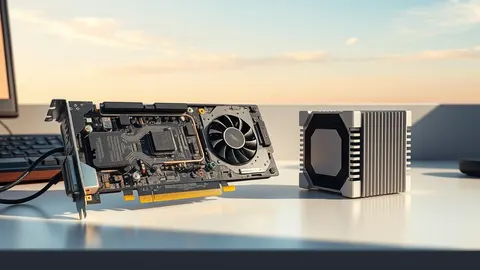
Zotac Magnus One Ultra barebones workstation pairs RTX 5080 with Intel Core Ultra 7
The compact workstation pairs a Blackwell GPU with Intel Core Ultra 7, but buyers must supply memory, storage and operating systems.
Key points
- Zotac Magnus One Ultra features a desktop RTX 5080 with 16GB GDDR7 memory inside an 11.46-liter chassis.
- The system ships barebones, requiring users to install their own DDR5 RAM, M.2 storage and operating system software.
- Pricing in Japan starts at approximately $2,647, with support for six displays and an 850W power supply.
Zotac has begun selling the Magnus One Ultra, a compact desktop system that integrates a full desktop Nvidia GeForce RTX 5080 graphics card. According to TechRadar, the device launches in Japan with barebones pricing starting at approximately $2,647, requiring customers to provide their own memory, storage and operating system.
The system places the RTX 5080 alongside an Intel Core Ultra 7 265 processor within an 11.46-liter enclosure. TechRadar reports that the 20-core CPU boosts to 5.3 GHz, while the GPU provides 16GB of GDDR7 memory, distinguishing this model from smaller PCs that rely on mobile or integrated graphics components.
Technical Specifications and Performance
The desktop RTX 5080 in this chassis utilizes Nvidia’s Blackwell architecture and supports DLSS 4.5 with Multi-Frame Generation. TechRadar notes that the GPU includes 10,752 CUDA cores, 336 Tensor cores, and 84 RT cores, with Nvidia rating its AI performance at 1,801 TOPS for local artificial intelligence workloads.
The memory subsystem offers two slots supporting up to 96GB of DDR5 RAM. According to TechRadar, the system accommodates both CSODIMM modules at DDR5-6400 and SODIMM modules at DDR5-5600. Storage expansion is handled via two M.2 slots, one supporting PCIe 5.0 x4 and the other supporting PCIe 4.0 x4 connections.
Physical Design and Connectivity
Zotac engineered the chassis to measure 126 x 365.5 x 249 mm, weighing approximately 6.34 kg. TechRadar states that an 850W power supply handles the configuration, with the GPU’s 360W rating consuming about 42% of that total capacity, leaving headroom for other components and future upgrades.
Connectivity options include Thunderbolt 4, Wi-Fi 7, Bluetooth 5.4 and eight USB ports. TechRadar reports that display outputs consist of three DisplayPort 2.1b connectors, one HDMI 2.1b port, one HDMI 2.0 connection and a Thunderbolt 4 port, allowing up to six simultaneous displays or four direct 4K outputs from the dedicated GPU.
What should you do?
Prospective buyers should verify the availability of compatible CSODIMM and SODIMM memory modules before ordering, as the system ships without installed RAM. Users must also select appropriate M.2 SSDs that fit the PCIe 5.0 and 4.0 slots to ensure optimal storage performance for their specific workloads.
Because the system requires a user-supplied operating system, purchasers should budget for Windows or Linux licenses separately. TechRadar notes that the GPU is significantly more powerful than the previous generation RTX 4080, so users should ensure their existing peripherals and software licenses can leverage the increased compute and ray-tracing capabilities.
What to do and how to stay safe: Zotac
- Confirm local availability and import costs if purchasing outside Japan, as initial sales are reported in that market.
- Select DDR5 memory modules that meet the 96GB maximum capacity limit and speed ratings for your intended multitasking needs.
- Verify that your existing display monitors are compatible with the available DisplayPort 2.1b and HDMI 2.1b outputs for multi-screen setups.
- Plan for operating system installation and licensing, as the barebones system does not include pre-installed software.
Step-by-step guide: Mobile Device Security: How to Protect Data Beyond Passwords
General security guidance from the Threat Times newsroom. It is not confirmed advice from the organisations named in this story.
Frequently asked questions
Does the Zotac Magnus One Ultra come with an operating system?
No, the system ships barebones without RAM, SSD or an operating system, requiring buyers to install these components and software themselves.
How many displays can the Zotac Magnus One Ultra drive?
The system supports up to six total displays, including four simultaneous 4K monitors driven directly by the desktop RTX 5080 graphics card.
What processor does the Zotac Magnus One Ultra use?
It uses the Intel Core Ultra 7 265 processor, which features 20 cores and boosts up to 5.3 GHz, paired with the desktop RTX 5080 GPU.