Wi-Fi Security Explained: How Encryption Actually Protects Your Data
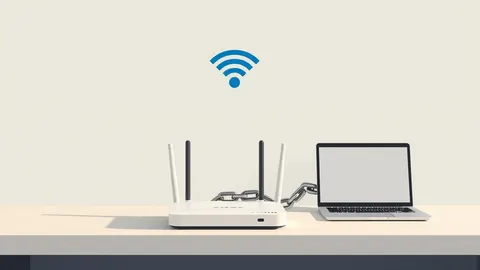
Most users assume their Wi-Fi password blocks strangers, but the real protection comes from how your device scrambles data before it ever leaves the antenna.

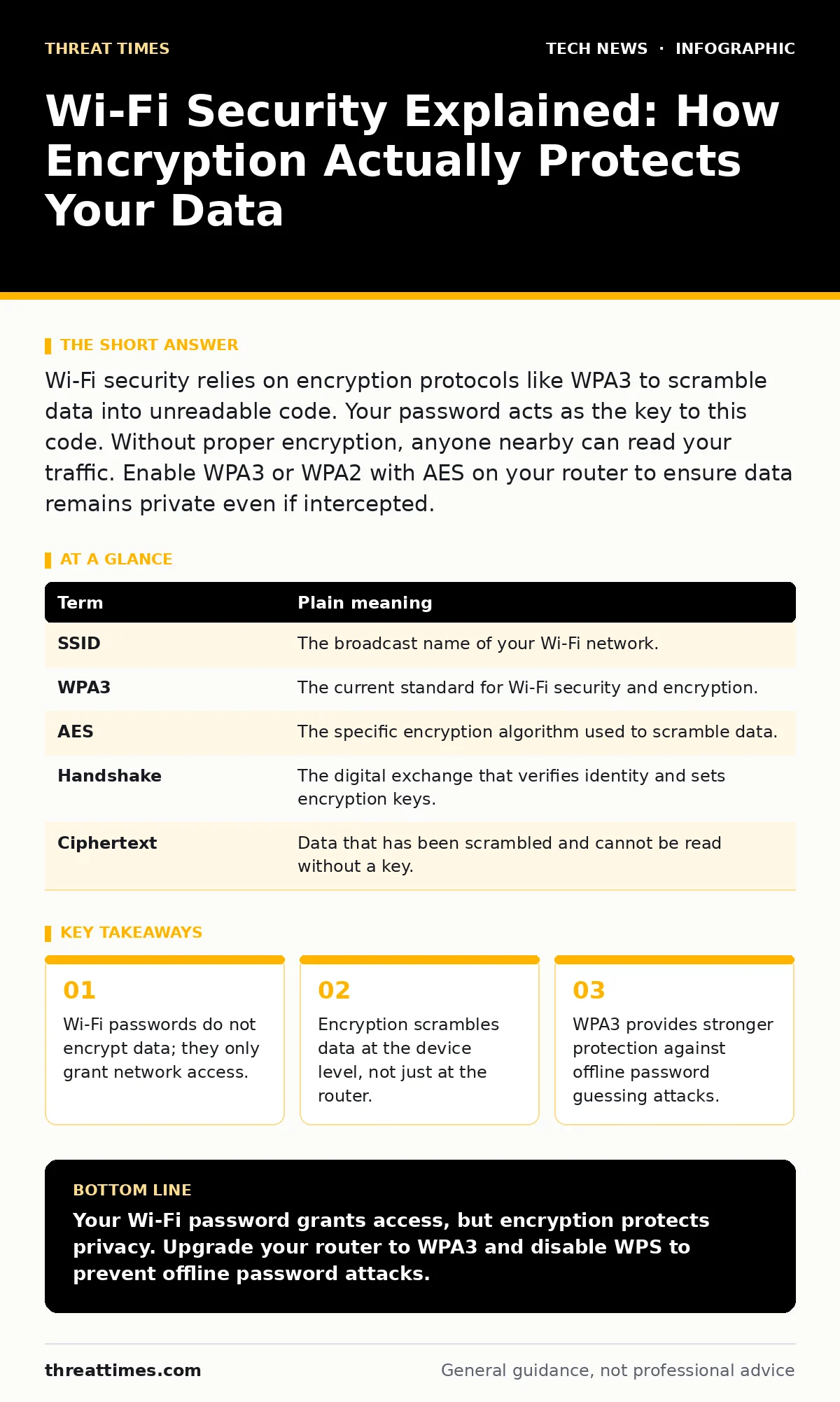
Wi-Fi security relies on encryption protocols like WPA3 to scramble data into unreadable code. Your password acts as the key to this code. Without proper encryption, anyone nearby can read your traffic. Enable WPA3 or WPA2 with AES on your router to ensure data remains private even if intercepted.
The Library Analogy
Imagine your home network is a public library. The Wi-Fi password is the library card. Anyone with the card can enter the building. However, simply having a card does not mean the librarian reads every book you check out. It also does not prevent someone sitting next to you from seeing the pages if you leave the book open on the table. Most people confuse entry with privacy. They believe that because they have the key to the door, their conversations inside are secret. This assumption is where security fails.
The Difference Between Access and Privacy
In Wi-Fi terms, the password controls association. Association is the process of linking a device to the access point. It does not control encryption. Encryption is the mathematical transformation of readable data into unreadable ciphertext. If you use an open network with no password, you are shouting in a crowded room. If you use a password but weak encryption, you are speaking a foreign language that anyone with a dictionary can translate. The password keeps casual listeners out, but encryption keeps determined eavesdroppers from understanding your message.
Key Terms Defined
To understand how your data moves, you must define the mechanisms at work. These terms appear in router settings and security guides.
| Term | Plain meaning |
|---|---|
| SSID | The broadcast name of your Wi-Fi network. |
| WPA3 | The current standard for Wi-Fi security and encryption. |
| AES | The specific encryption algorithm used to scramble data. |
| Handshake | The digital exchange that verifies identity and sets encryption keys. |
| Ciphertext | Data that has been scrambled and cannot be read without a key. |
Why WPA2 Is No Longer Enough
Many routers still use WPA2 with AES. This was the standard for over a decade. It remains secure if you use a very long, complex password. However, it has a structural weakness. An attacker can capture the handshake between your device and the router. They can then try billions of password guesses offline, on their own computer, without triggering your router’s lockout mechanisms. This is called a dictionary attack. WPA3 changes this dynamic. It uses a method called Simultaneous Authentication of Equals. This ensures that even if an attacker captures the handshake, they cannot guess the password offline. Each connection attempt requires interaction with the actual network.
The Hidden Cost of Convenience
You might prefer WPA2 because older devices do not support WPA3. This is a real trade-off. Supporting legacy devices often requires enabling a compatibility mode. This mode can re-introduce vulnerabilities. For example, some routers allow TKIP encryption for older devices. TKIP is fundamentally weaker than AES. It was designed as a temporary fix and should not be used for new deployments. If you keep TKIP enabled, you lower the security of the entire network. Even devices using AES may be affected if the network allows downgraded connections. Check your router settings for mixed mode. Disable TKIP if possible.
A First Practical Step
You do not need to buy new hardware to improve security. You need to change how your router handles connections. Log into your router’s administration panel. Look for the wireless security settings. Change the security mode from WPA2-Personal to WPA3-Personal if your router supports it. If WPA3 is unavailable, ensure WPA2-AES is selected. Disable WPS (Wi-Fi Protected Setup). WPS is a convenience feature that allows connecting via a button press or PIN. The PIN method has a known weakness that allows attackers to guess the code in hours. Disabling it removes this attack surface.
- Access your router’s web interface using a wired connection.
- Locate the wireless security or encryption settings.
- Select WPA3-Personal or WPA2-AES and disable WPS.
Integrating with Other Security Layers
Wi-Fi security is only one layer of your defense. If your Wi-Fi is secure but your laptop is infected, your data is still at risk. See laptop security for measures to protect the endpoint device. Similarly, if you use smart devices, they may bypass Wi-Fi protections. Read smart home security to understand how IoT devices communicate. Your network architecture also matters.
If you run servers or cloud-connected applications, edge computing principles apply to how data is processed near the source. For business environments, APIs often carry more sensitive data than web traffic. Ensure certificate management is rigorous if you use self-signed certificates for internal services. Finally, if you use virtual machines, virtualization security ensures that an isolated breach does not spread to your host network.
The Reality of Wireless Signals
Signals pass through walls. This is a feature, not a bug. It also means your signal is available to anyone within range. You cannot physically contain Wi-Fi. You must rely on encryption. Even if a neighbor captures your data packets, they should only see random noise. If they can read your emails or banking details, your encryption is failing. This is not a rare event. It is the default state of unencrypted or poorly encrypted networks. Treat your Wi-Fi signal as public broadcast media. Encrypt everything you send over it.
Key takeaways
- Wi-Fi passwords do not encrypt data; they only grant network access.
- Encryption scrambles data at the device level, not just at the router.
- WPA3 provides stronger protection against offline password guessing attacks.
Your Wi-Fi password grants access, but encryption protects privacy. Upgrade your router to WPA3 and disable WPS to prevent offline password attacks.
Frequently asked questions
Is WPA3 backward compatible with WPA2 devices?
Not always. Some WPA3 routers support a mixed mode, but this can weaken security. Pure WPA3 requires both the router and the client device to support the standard.
Does a strong password make WPA2 secure?
A very long, complex password makes WPA2 resistant to brute-force attacks. However, it does not protect against all cryptographic weaknesses. WPA3 is architecturally superior.
Should I hide my SSID to improve security?
No. Hiding the SSID is security by obscurity. The network name is still broadcast in probe requests. It does not prevent detection or attack.
How often should I change my Wi-Fi password?
Only when you suspect a leak or when a device leaves your household. Frequent changes increase the risk of using weak, predictable passwords.
How this guide was produced: written by the Threat Times editorial team with AI assistance, checked against the public references listed below, and reviewed when the facts change. See our editorial policy or report an error.