Certificate Management FAQs: Fixing Expiry, Rotation, and Trust
Most certificate failures stem from silent expiration and misconfigured trust chains, not cryptographic weaknesses or external attacks.

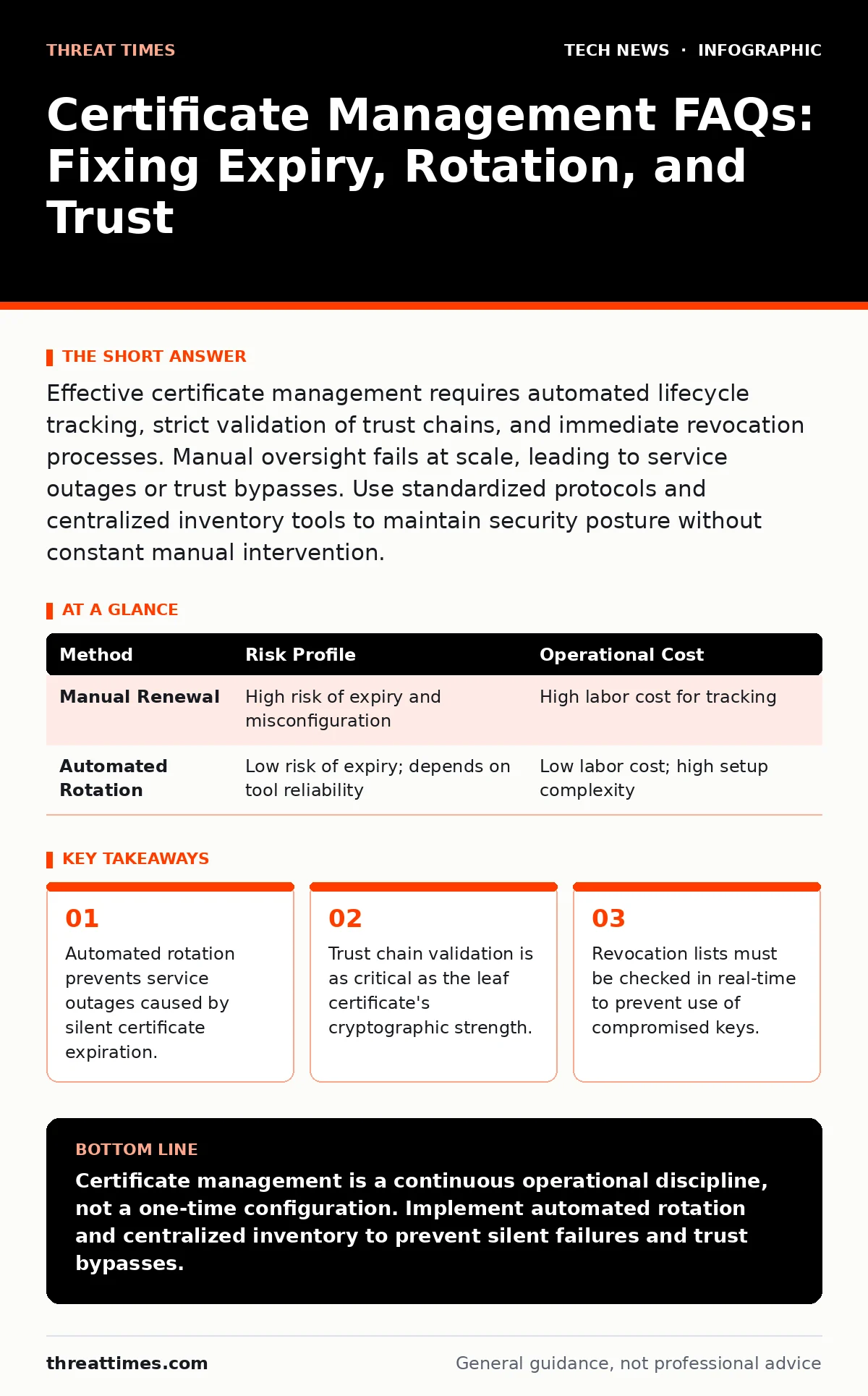
Effective certificate management requires automated lifecycle tracking, strict validation of trust chains, and immediate revocation processes. Manual oversight fails at scale, leading to service outages or trust bypasses. Use standardized protocols and centralized inventory tools to maintain security posture without constant manual intervention.
Why do certificates expire if the keys remain secure?
Certificates expire to limit the window of exposure if a private key is compromised. Even if an attacker never steals the key, expiration forces a periodic review of the security posture and policy compliance. Without expiration, a leaked key from years ago would remain valid indefinitely, allowing an attacker to impersonate your services forever. This mechanism ensures that trust is not static but requires continuous verification.
How does the trust chain prevent man-in-the-middle attacks?
The trust chain links the leaf certificate to a trusted root certificate authority through intermediate certificates. Your browser or client validates each link in this chain to ensure the issuer is authorized. If any link is broken or unsigned by the expected authority, the connection fails. This structure prevents attackers from inserting their own certificates, as they cannot sign the chain with a root key they do not possess.
What happens when a private key is compromised?
When a private key is compromised, the corresponding certificate must be revoked immediately to invalidate it. The Certificate Authority adds the certificate’s serial number to a revocation list. Clients check these lists to determine if a presented certificate is still valid. If revocation is delayed, an attacker can use the stolen key to decrypt traffic or impersonate the service until the next expiration date.
Why is automated rotation better than manual management?
Automated rotation eliminates human error and ensures certificates are renewed before they expire. Manual processes often miss renewal dates, causing sudden service outages that are difficult to diagnose. Automation also allows for frequent key rotation, reducing the amount of traffic encrypted with any single key. This limits the impact of a potential breach by constraining the data exposure window.
| Method | Risk Profile | Operational Cost |
|---|---|---|
| Manual Renewal | High risk of expiry and misconfiguration | High labor cost for tracking |
| Automated Rotation | Low risk of expiry; depends on tool reliability | Low labor cost; high setup complexity |
How do revocation lists impact performance?
Revocation lists, such as CRLs or OCSP, require clients to check if a certificate has been invalidated. Large lists can slow down connection handshakes, creating a latency bottleneck. Some systems cache these lists to improve speed, but caching introduces a delay in detecting newly revoked certificates. You must balance security responsiveness with application performance requirements when configuring these checks.
What is the risk of using self-signed certificates?
Self-signed certificates are not validated by a trusted third-party authority, so clients cannot verify the issuer’s identity. This makes them vulnerable to man-in-the-middle attacks, as any client can accept the certificate without proof. They are suitable only for internal testing or closed networks where you control every endpoint. Using them in production exposes your infrastructure to impersonation and data interception.
How does quantum computing threaten current certificates?
Quantum computers could theoretically break the asymmetric cryptography used in most certificates, such as RSA or ECC. This would allow an attacker to derive private keys from public keys, rendering current trust models obsolete. While practical quantum attacks are not yet widespread, harvesting encrypted traffic now for decryption later is a strategic risk. Organizations should begin planning for post-quantum cryptographic standards to future-proof their infrastructure.
What is the difference between SAN and Subject Alternative Name?
The Subject Alternative Name (SAN) field allows a single certificate to secure multiple domain names or IP addresses. This replaces the older Common Name field, which is now deprecated for most use cases. Using SANs reduces the number of certificates you need to manage and deploy. It also simplifies automation, as one certificate can cover a service and its subdomains.
How do you manage certificates in a hybrid cloud environment?
Hybrid environments require a unified view of certificates across on-premises and cloud resources. Disconnected management tools lead to shadow IT and unmanaged endpoints that bypass security policies. Centralized certificate management platforms can track issuance and expiration across all environments. This ensures consistent security standards regardless of where the workload resides, reducing the attack surface.
Why is certificate pinning dangerous for most applications?
Certificate pinning binds an application to a specific public key, preventing the use of any other certificate. While this enhances security, it creates a single point of failure if the pinned key expires or is compromised. Updating the pin requires deploying a new version of the application, which is slow and error-prone. Most applications should rely on standard trust chain validation instead of rigid pinning.
Key takeaways
- Automated rotation prevents service outages caused by silent certificate expiration.
- Trust chain validation is as critical as the leaf certificate's cryptographic strength.
- Revocation lists must be checked in real-time to prevent use of compromised keys.
- Centralized inventory reduces the risk of shadow IT and unmanaged endpoints.
Certificate management is a continuous operational discipline, not a one-time configuration. Implement automated rotation and centralized inventory to prevent silent failures and trust bypasses.
Frequently asked questions
How long should I keep expired certificates?
Keep expired certificates in your inventory for audit purposes, but remove them from active deployment. Retention periods depend on your compliance requirements, but they should not be used for new connections.
Can I use the same certificate for development and production?
No, using the same certificate across environments increases the risk of accidental exposure and complicates incident response. Separate keys and certificates ensure that a breach in development does not compromise production traffic.
What is the best way to store private keys?
Store private keys in a hardware security module or a secure key management service. These solutions protect keys from unauthorized access and ensure they are never exposed in plain text on disk.
How often should I rotate my certificates?
Rotate certificates frequently, ideally every few months, to limit the exposure window of any single key. Automated tools can handle this process seamlessly without disrupting service availability.
How this guide was produced: written by the Threat Times editorial team with AI assistance, checked against the public references listed below, and reviewed when the facts change. See our editorial policy or report an error.