Social Media Privacy Breach: Immediate Response and Recovery Steps
Most recovery efforts fail because users prioritize deleting content over severing the technical links that allow the attacker to maintain access to your accounts.
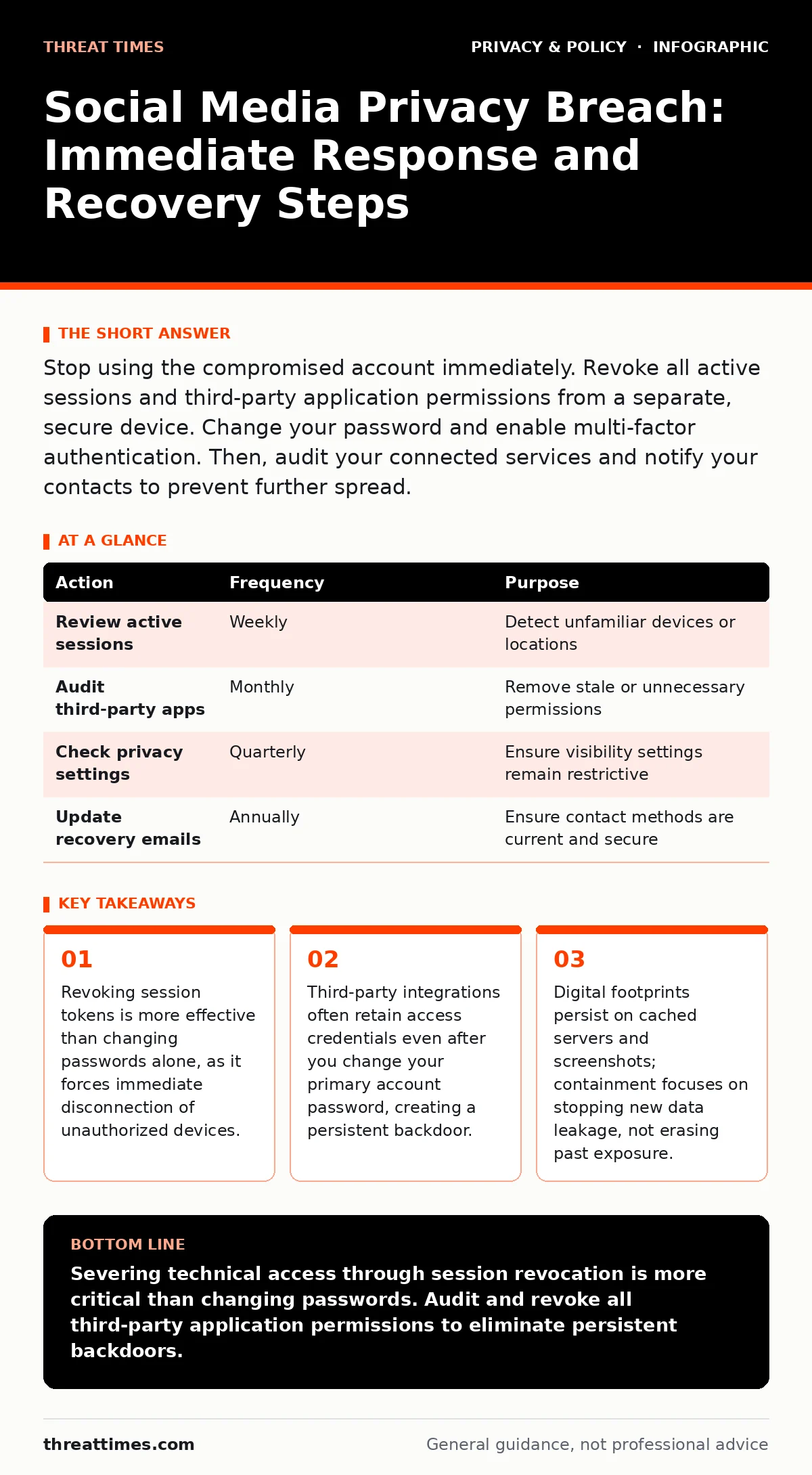
Stop using the compromised account immediately. Revoke all active sessions and third-party application permissions from a separate, secure device. Change your password and enable multi-factor authentication. Then, audit your connected services and notify your contacts to prevent further spread.
The First Hour: Severing Access
When you suspect a privacy breach on a social platform, your immediate goal is to cut the attacker’s connection. Do not attempt to investigate the breach from within the compromised account. The attacker may be monitoring your actions in real time. Instead, use a different device or a browser that has never logged into that account. This ensures your recovery credentials do not pass through a network or session already watched by the intruder.
- Log out of the compromised account from all known devices.
- Use the platform’s security settings to revoke all active sessions.
- Change the account password to a unique, complex string.
- Disable any two-factor authentication backup codes you previously generated.
Changing the password is the standard first step, but it is insufficient if the attacker holds a valid session token. Session tokens are digital keys that remain valid until they expire or are explicitly revoked. If you only change the password, the attacker’s existing login session often remains active. You must explicitly terminate all active sessions from the security dashboard. This action invalidates every token currently in use, forcing every device, including the attacker’s, to re-authenticate. Since the attacker does not know the new password, they cannot log back in.
The First Day: Containing the Spread
Once access is severed, you must address the tools that granted the attacker entry. Social media accounts are rarely isolated silos. They are often connected to other services through OAuth permissions. These permissions allow third-party applications to access your data without requiring your password. If an attacker compromises your social account, they can use these existing permissions to access your email, cloud storage, or professional networks.
Imagine you authorized a photo editing app to access your social media profile years ago. You no longer use the app, but the permission remains active. An attacker can exploit this link to view your private messages or post on your behalf. You must audit these connections immediately. Look for a section labeled "Apps and Websites" or "Authorized Applications" in your privacy settings. Revoke access for every application you do not actively use daily. This step is often overlooked because it is buried deep in the settings menu, but it is the most common vector for persistent access.
The First Week: Recovery and Audit
After containment, you begin the recovery process. This involves restoring your account’s integrity and assessing the damage. Check your message history for any messages you did not send. Look for posts, comments, or likes that do not reflect your behavior. These actions may have been used to phish your contacts or spread malware. You should delete these unauthorized posts. While deletion removes the content from your profile, it does not remove it from the recipient’s view if they have already seen it. This is a critical distinction in privacy recovery.
You must also review your privacy settings. Attackers often change these settings to make your profile public, allowing data scraping. Ensure your profile visibility is set to the most restrictive option available. Disable location tagging if it was enabled. Check who can see your friend list and who can send you messages. Resetting these settings to their default secure state helps prevent future scraping.
Who to Tell and How
Notifying affected parties is a necessary step in recovery, but it requires precision. You should inform your close contacts who may have received suspicious messages from your account. Tell them to ignore any links or requests for money. Do not share details of your security settings or passwords with them. This information could be used in a follow-up social engineering attack.
If the breach involves professional accounts or sensitive personal data, you may need to notify your employer or relevant financial institutions. Check your personal data handling policies to understand your obligations. In some cases, you may need to report the incident to the platform’s support team. Provide them with the timeline of events and any evidence of unauthorized access. This helps the platform identify broader security issues.
Stopping a Repeat Incident
To prevent future breaches, you must harden your account security. Enable multi-factor authentication (MFA) using an authenticator app or hardware key. Avoid SMS-based MFA, as it is vulnerable to SIM swapping attacks. SIM swapping is a technique where an attacker convinces your mobile carrier to transfer your phone number to their device, allowing them to intercept SMS codes.
Review your mobile app permission abuse risks. Many apps request more permissions than they need. Deny unnecessary permissions, such as access to your contacts or microphone, unless they are critical for the app’s function. Regularly audit your connected accounts. Set a calendar reminder to review your privacy settings and authorized applications every three months. This routine check helps you catch stale permissions and unauthorized changes before they are exploited.
| Action | Frequency | Purpose |
|---|---|---|
| Review active sessions | Weekly | Detect unfamiliar devices or locations |
| Audit third-party apps | Monthly | Remove stale or unnecessary permissions |
| Check privacy settings | Quarterly | Ensure visibility settings remain restrictive |
| Update recovery emails | Annually | Ensure contact methods are current and secure |
Understanding the Digital Footprint
Recovery is not just about securing the account; it is about managing the data that has already been exposed. Attackers often harvest data for future attacks or sell it on underground markets. Even after you secure your account, your data may persist in the wild. Understanding the scope of this exposure helps you prioritize your response. If sensitive financial information was exposed, you may need to place fraud alerts on your credit files. If personal identifiers were leaked, you should be vigilant against identity theft.
This process is ongoing. Cybersecurity is not a one-time fix but a continuous practice. By following these steps, you reduce the likelihood of a repeat incident and minimize the damage of future breaches. For more on managing data consent, refer to our guide on consent management. For protecting your communications, see encrypted messaging apps. Understanding privacy policies can also help you anticipate how platforms handle your data during security incidents.
Key takeaways
- Revoking session tokens is more effective than changing passwords alone, as it forces immediate disconnection of unauthorized devices.
- Third-party integrations often retain access credentials even after you change your primary account password, creating a persistent backdoor.
- Digital footprints persist on cached servers and screenshots; containment focuses on stopping new data leakage, not erasing past exposure.
Severing technical access through session revocation is more critical than changing passwords. Audit and revoke all third-party application permissions to eliminate persistent backdoors.
Frequently asked questions
Should I delete my social media account after a breach?
Deleting the account is a final measure that may not remove all data from the platform’s servers. It is better to secure the account, revoke permissions, and monitor for further issues unless the breach is severe and irrecoverable.
How do I know if an attacker is still in my account?
Check your active sessions for unfamiliar devices or locations. Look for recent posts or messages you did not create. If you see any unauthorized activity, repeat the containment steps immediately.
Can changing my email password help?
Yes, if your social media account is linked to that email. Attackers often use the email account to reset social media passwords. Securing your email is a critical part of recovering a compromised social profile.
What if I can’t access my security settings?
Use the platform’s account recovery process. This usually involves verifying your identity through alternate contact methods or security questions. Ensure these recovery methods are not also compromised.
How this guide was produced: written by the Threat Times editorial team with AI assistance, checked against the public references listed below, and reviewed when the facts change. See our editorial policy or report an error.