Social Engineering Warning Signs and How to Respond
Attackers exploit human psychology faster than technical controls can intercept, making behavioral anomalies the primary detection vector for compromise attempts.
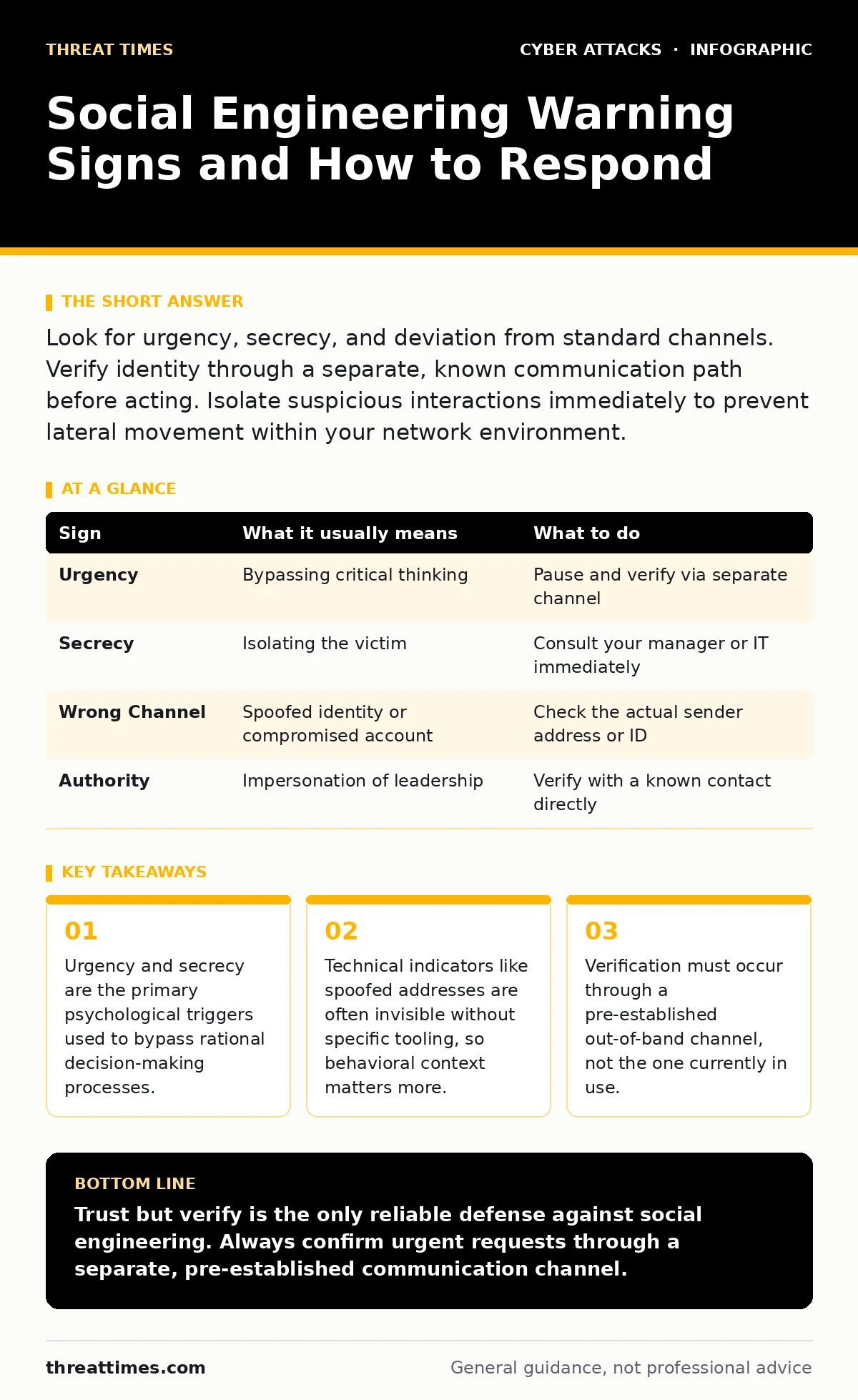
Look for urgency, secrecy, and deviation from standard channels. Verify identity through a separate, known communication path before acting. Isolate suspicious interactions immediately to prevent lateral movement within your network environment.
The Psychology of Urgency
Attackers rely on time pressure to short-circuit your critical thinking. When a request feels urgent, your brain shifts from analytical processing to reactive mode. This biological response makes you less likely to question the legitimacy of the sender. You may skip verification steps because the perceived cost of delay feels higher than the risk of error.
Suppose you receive a message claiming a system failure requires immediate password reset. The urgency creates a narrow focus on the problem, not the source. You act to relieve the stress, not to solve a security puzzle. This is why urgency is the most common first sign of social engineering. It works because it exploits a natural human tendency to avoid negative outcomes quickly.
Deviation from Standard Channels
Legitimate organizations follow established communication protocols. When a request arrives through an unusual channel, it is a significant red flag. A vendor who usually sends invoices via a portal suddenly emailing a PDF attachment is an anomaly. A colleague who typically chats on your internal messenger now sends a direct message from a personal account is suspicious.
You should recognize your normal workflows. If the method of communication does not match the expected pattern, pause. The attacker has likely compromised an account or spoofed an identity to mimic trust. They rely on your familiarity with the person or brand to lower your guard. The medium itself is the first clue that something is wrong.
The Illusion of Authority and Secrecy
Requests for secrecy are designed to isolate you from help. An attacker will tell you not to tell your manager or IT department. This prevents you from consulting others who might recognize the fraud. Authority is often faked by using titles or referencing high-level policies you are not familiar with.
Imagine a message from "Executive Leadership" demanding a confidential gift card purchase. The combination of high authority and strict secrecy removes your ability to verify. You feel compelled to comply to avoid professional repercussions. This dynamic is central to many vendor email compromise attempts. The attacker positions themselves as the only person who knows the truth.
Subtle Technical Indicators
Some signs are easy to miss because they require close inspection. Spoofed email headers can look identical to legitimate ones in standard clients. The display name shows your boss, but the underlying address is slightly different. You must check the full email header, not just the name.
Another subtle sign is the mismatch between the context and the request. A routine software update does not require you to disable security software. A legitimate IT ticket does not ask for your credentials via chat. These are logical inconsistencies that fly under the radar when you are busy. You must look for what does not fit the narrative, not just what looks wrong.
Immediate Response Protocols
When you spot a warning sign, your first action is to stop. Do not click, do not reply, and do not forward. Preserve the evidence by taking screenshots or saving the original message. This helps your security team analyze the attack vector later.
Next, verify the request through an out-of-band channel. This means using a different method of communication than the one the request came from. Call the person using a number you already have in your contacts. Do not use the number provided in the suspicious message. This breaks the attacker’s control over the communication loop.
Handling the Interaction
If you are on a call or in a chat, you can create distance. Claim you are in a meeting or driving. This buys you time to think and verify. Do not feel pressured to explain why you are delaying. Your safety and the organization’s security take precedence over politeness.
Once you have verified the identity, report the incident. Even if it turns out to be a mistake, reporting helps identify patterns. If it was an attack, reporting allows for containment. Do not assume you are the only target. The attacker likely sent similar messages to others.
| Sign | What it usually means | What to do |
|---|---|---|
| Urgency | Bypassing critical thinking | Pause and verify via separate channel |
| Secrecy | Isolating the victim | Consult your manager or IT immediately |
| Wrong Channel | Spoofed identity or compromised account | Check the actual sender address or ID |
| Authority | Impersonation of leadership | Verify with a known contact directly |
Building Long-Term Resilience
Technical controls alone cannot stop social engineering. You need a strong security culture where questioning authority is encouraged. Employees should feel safe reporting suspicious activity without fear of blame. Regular training helps, but it must focus on real-world scenarios, not just theory.
Consider how voice cloning scams mimic familiar voices to bypass trust. Even if you hear a trusted voice, you must verify the request. Technology is evolving, and so are the attacks. Your best defense is a skeptical mindset and a clear process for verification.
The Cost of Verification
Verification takes time, but the cost of a breach is far higher. A few minutes of delay prevents hours of incident response. It protects your credentials, your data, and your reputation. Do not view verification as a burden. View it as a standard part of your workflow.
Imagine you are asked to approve a large payment. The sender claims the usual approval process is down. You take ten minutes to call the finance department. They confirm the process is working and the request is fraudulent. You saved the organization from a significant loss. The time spent was an investment, not a waste.
Key takeaways
- Urgency and secrecy are the primary psychological triggers used to bypass rational decision-making processes.
- Technical indicators like spoofed addresses are often invisible without specific tooling, so behavioral context matters more.
- Verification must occur through a pre-established out-of-band channel, not the one currently in use.
Trust but verify is the only reliable defense against social engineering. Always confirm urgent requests through a separate, pre-established communication channel.
Frequently asked questions
How do I know if an email address is spoofed?
Check the full email header, not just the display name. Look for mismatches between the sender’s domain and the actual email address.
What should I do if I already clicked a link?
Disconnect from the network immediately and report it to your IT security team. Do not enter any credentials or information.
Can I trust a call from my boss’s number?
No, caller ID can be spoofed. Always verify the request by calling back using a known, trusted number.
Is it rude to ask for verification?
No, protecting the organization is a professional responsibility. Legitimate colleagues will understand and support your caution.
How this guide was produced: written by the Threat Times editorial team with AI assistance, checked against the public references listed below, and reviewed when the facts change. See our editorial policy or report an error.