Vendor Email Compromise: How Impersonation Bypasses Trust
Attackers exploit your inherent trust in known business partners to bypass standard security filters and extract sensitive data.
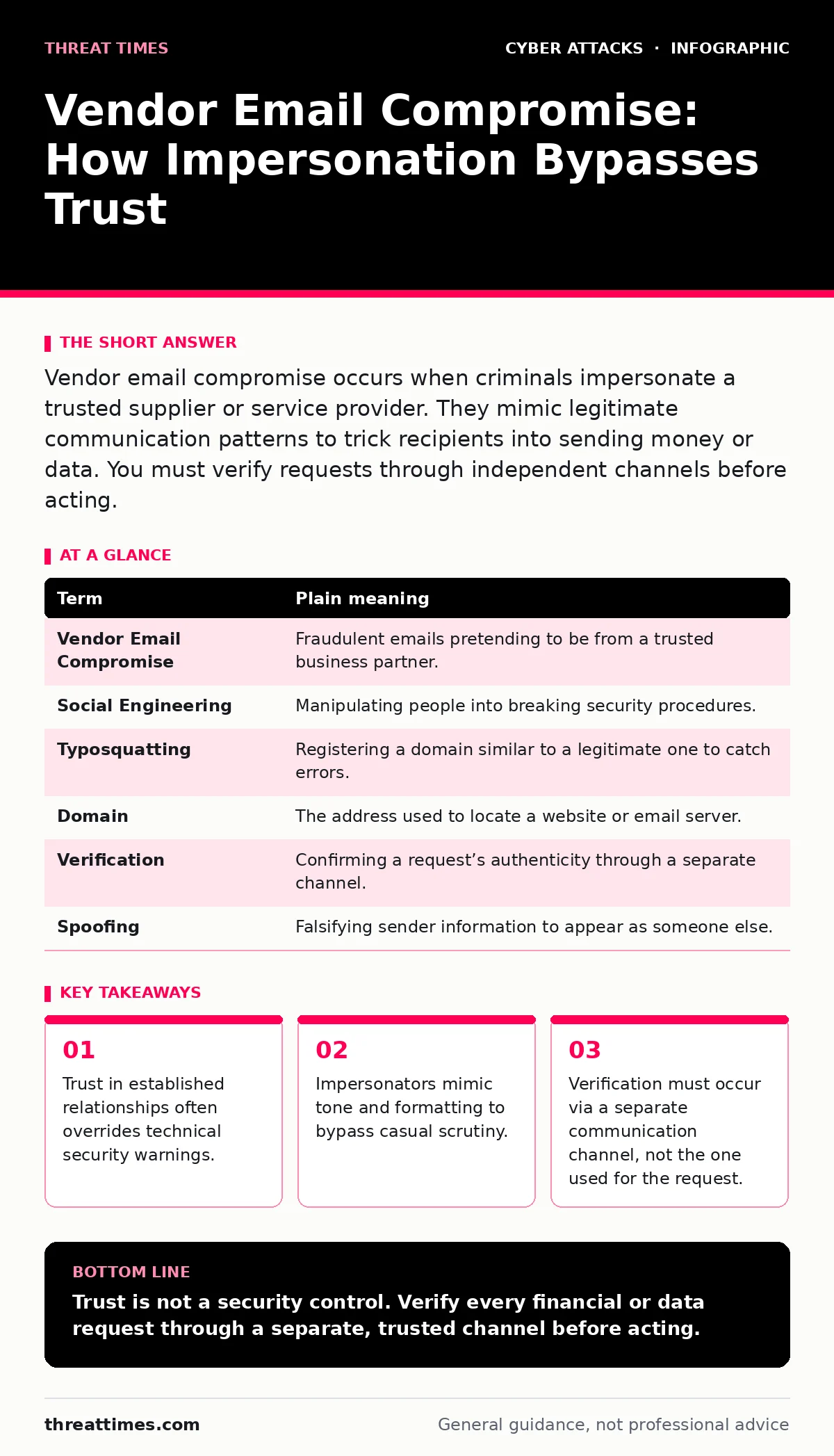
Vendor email compromise occurs when criminals impersonate a trusted supplier or service provider. They mimic legitimate communication patterns to trick recipients into sending money or data. You must verify requests through independent channels before acting.
The Post Office Analogy
Imagine you receive a package at your office building. The courier wears a uniform, drives a branded van, and hands you a document that looks exactly like a routine invoice. You sign for it without checking the contents because the delivery mechanism feels familiar and safe. Now imagine the courier is an imposter. They did not forge the document; they simply placed a malicious payload inside a container that looks identical to the thousands you receive every week. Your trust in the process, not the content, is what allows the breach.
Vendor email compromise operates on this same principle. The attacker does not need to break into your network. They only need to convince you that the incoming message is from a known entity. This relies on social engineering, which is the psychological manipulation of people into performing actions or divulging confidential information.
The Mechanics of Impersonation
The attacker begins by researching your organization. They look for public records, press releases, or job postings to identify key vendors and employees. They then register a domain name that is visually similar to your vendor’s actual domain. This is known as typosquatting, where a malicious actor registers a domain that is a slight misspelling of a legitimate one.
Once the domain is set, they craft an email that mimics the vendor’s branding, logo, and writing style. They may even reply to an existing email thread to make the message appear as part of an ongoing, legitimate conversation. The goal is to reduce your cognitive load. If the email looks like something you expect, you are less likely to scrutinize it.
| Term | Plain meaning |
|---|---|
| Vendor Email Compromise | Fraudulent emails pretending to be from a trusted business partner. |
| Social Engineering | Manipulating people into breaking security procedures. |
| Typosquatting | Registering a domain similar to a legitimate one to catch errors. |
| Domain | The address used to locate a website or email server. |
| Verification | Confirming a request’s authenticity through a separate channel. |
| Spoofing | Falsifying sender information to appear as someone else. |
Why Technical Controls Fail
You might assume that firewalls and spam filters will catch these messages. However, these tools primarily look for known malicious signatures or suspicious links. A vendor email compromise often contains no malware and no external links. It is just text asking for a change in banking details or a request for sensitive data.
Because the email is clean, it passes through security gates. The vulnerability is not in the software; it is in the human assumption that a message from a known sender is safe. This is why security culture matters more than any single tool. If your team understands that trust must be verified, not assumed, the attack loses its power.
The Hidden Cost of Verification
Verifying every request takes time. This is the hidden cost of security. If you call every vendor to confirm every invoice, your workflow slows down. Attackers count on this friction. They create a sense of urgency, claiming that payment is due immediately or that a contract is expiring.
Imagine you are rushing to meet a deadline. The email says the vendor’s bank account has changed. You want to help. You want to be efficient. This pressure is designed to bypass your caution. The trade-off is clear: speed versus safety. In a vendor compromise, speed leads to loss. Safety requires a pause.
Simple Safety Habits
You do not need expensive software to protect yourself. You need a verification habit. When you receive a request for money or data, do not reply to the email. Do not click any links in the email. Instead, find the vendor’s contact information from a previous, trusted source. Call them directly.
This breaks the chain of deception. The attacker controls the email channel, but they do not control the vendor’s phone line. By using a separate channel, you confirm the request’s validity. This is called out-of-band verification. It is the most effective defense against impersonation.
Try This Now
- Identify your top five vendors by transaction volume.
- Record their official support phone numbers in a secure, physical location.
- Test the process by asking a colleague to simulate a bank change request.
This exercise builds muscle memory. When a real attack happens, you will not hesitate. You will know exactly what to do. The attacker relies on your confusion. Clarity defeats them.
The Broader Context
Vendor email compromise is often part of a larger campaign. Attackers may combine this with API abuse to automate the sending of fraudulent messages. They may also use SIM swapping to intercept two-factor authentication codes if they target the vendor directly.
Understanding these connections helps you see the full picture. The attack is not just an email; it is a coordinated effort to exploit trust. By focusing on verification, you disrupt the entire chain. You become a difficult target, not because you have better tools, but because you have better habits.
Key takeaways
- Trust in established relationships often overrides technical security warnings.
- Impersonators mimic tone and formatting to bypass casual scrutiny.
- Verification must occur via a separate communication channel, not the one used for the request.
Trust is not a security control. Verify every financial or data request through a separate, trusted channel before acting.
Frequently asked questions
Can I trust email headers to identify fake vendors?
Headers can be spoofed. While they provide clues, they are not definitive proof of authenticity. Always verify via phone.
What if the vendor uses a generic email address like [email protected]?
Generic addresses are easier to impersonate. Treat requests from these addresses with extra caution and verify immediately.
Does using a corporate email domain protect me?
Corporate domains offer some protection, but attackers can register similar domains. The visual similarity often tricks users.
Should I block all emails from unknown vendors?
No. Blocking unknown vendors disrupts business. Instead, establish a strict verification policy for new or changed requests.
How this guide was produced: written by the Threat Times editorial team with AI assistance, checked against the public references listed below, and reviewed when the facts change. See our editorial policy or report an error.