Cloud Security Groups: Definition, Purpose, and Common Pitfalls
Security groups enforce stateful packet filtering at the virtual network interface, creating an invisible perimeter that moves with your workload rather than sitting at a fixed network edge.

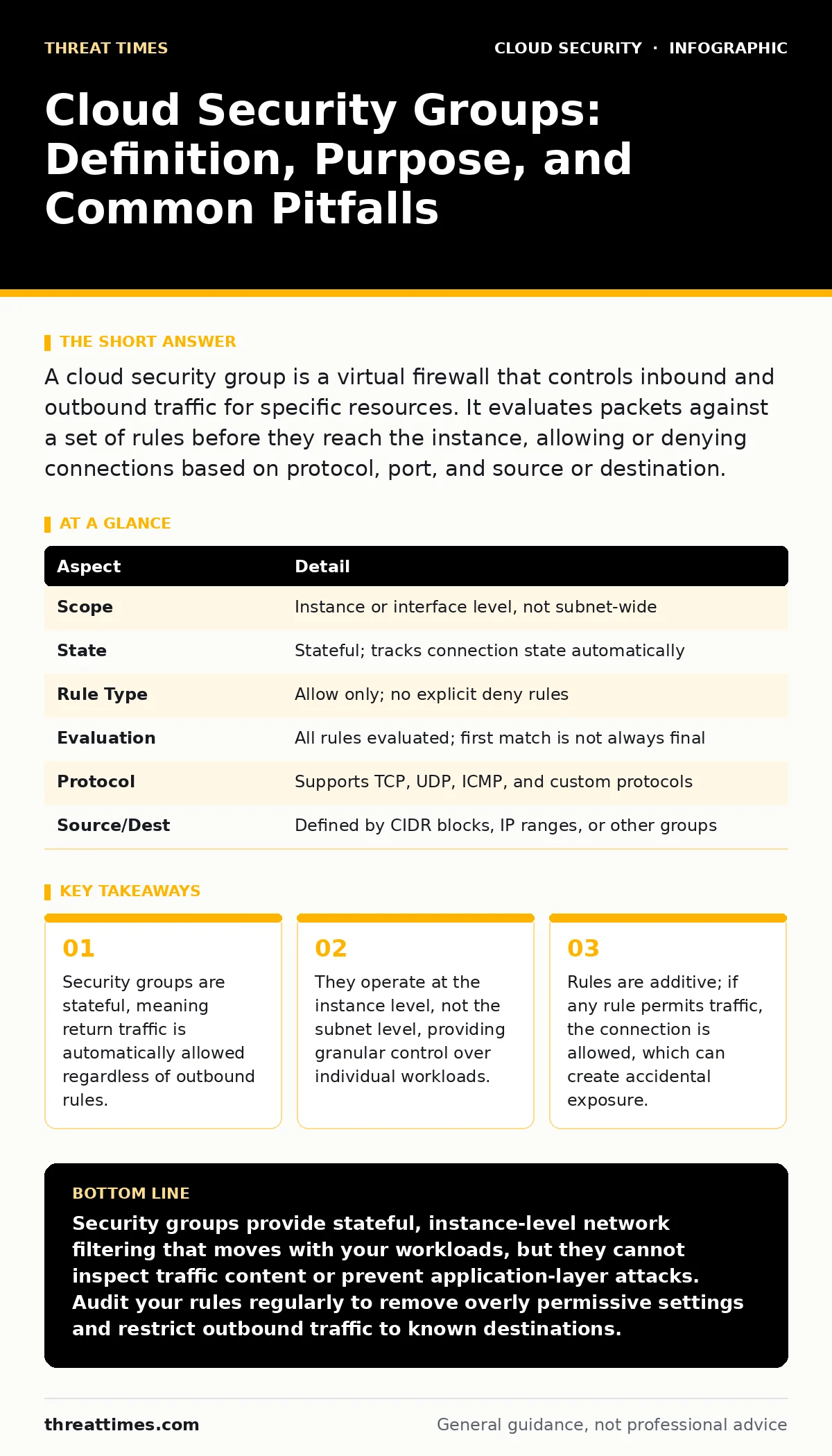
A cloud security group is a virtual firewall that controls inbound and outbound traffic for specific resources. It evaluates packets against a set of rules before they reach the instance, allowing or denying connections based on protocol, port, and source or destination.
The Digital Bouncer Analogy
Imagine a high-end nightclub with a strict dress code. The bouncer checks every person trying to enter, looking at their invitation and attire. If they match the criteria, they are let in. Once inside, the bouncer does not check what the guest does or where they go within the club. They only control the entry point.
Cloud security groups function similarly. They sit directly in front of your virtual machines or containers. They inspect network packets attempting to reach your workload. If the packet matches an allow rule, it passes through. If it does not match any allow rule, it is silently dropped.
This mechanism provides a first line of defense that is tightly coupled to your application. Unlike traditional hardware firewalls that sit at the edge of a data center, security groups travel with your resources. If you move a server to a different availability zone, its security group moves with it.
At a Glance: Core Mechanics
| Aspect | Detail |
|---|---|
| Scope | Instance or interface level, not subnet-wide |
| State | Stateful; tracks connection state automatically |
| Rule Type | Allow only; no explicit deny rules |
| Evaluation | All rules evaluated; first match is not always final |
| Protocol | Supports TCP, UDP, ICMP, and custom protocols |
| Source/Dest | Defined by CIDR blocks, IP ranges, or other groups |
The Problem of Static Perimeters
Traditional network security relied on static perimeters. You placed a firewall between the internet and your internal network. Anything inside was trusted. This model failed in cloud environments because resources are ephemeral. They spin up and down in seconds. They move across zones. A static firewall cannot keep pace with dynamic infrastructure.
Security groups solve this by embedding security into the workload itself. They eliminate the need to trust the entire internal network. You can restrict access to a database so that only specific application servers can connect, even if those servers are in the same subnet. This reduces the blast radius of a compromise.
This approach supports the principle of least privilege. Each resource gets only the access it needs. It prevents lateral movement by an attacker who has breached one part of the system. You do not need to rely on complex network segmentation schemes that are hard to maintain.
Main Components of a Security Group
A security group consists of a name, a description, and a list of rules. Each rule defines what traffic is allowed. The rule specifies the direction, protocol, port range, and source or destination.
The direction is either inbound or outbound. Inbound rules control traffic coming into the resource. Outbound rules control traffic leaving the resource. Most cloud providers default to allowing all outbound traffic. This is convenient for development but risky for production.
The protocol defines the type of traffic. Common protocols include TCP for web traffic, UDP for DNS, and ICMP for ping. You can specify a single port or a range. For example, you might allow TCP port 443 for HTTPS. You might allow TCP ports 8000 to 8010 for internal microservices.
The source or destination defines who can send or receive traffic. You can use IP addresses, CIDR blocks, or other security groups. Referencing another security group is powerful. It means "allow traffic from any instance in that group." This decouples your rules from specific IP addresses, which change frequently in cloud environments.
Stateful Behavior and Hidden Costs
Security groups are stateful. This means they track the state of active connections. If an inbound rule allows a connection, the return traffic is automatically allowed. You do not need to write a matching outbound rule for the response.
This simplifies configuration but introduces a hidden cost. You lose visibility into return traffic. If an attacker opens a connection through a permitted inbound rule, the data they exfiltrate will pass through the outbound direction without being inspected by an outbound rule.
Suppose you allow inbound SSH on port 22. An attacker gains access. They begin downloading sensitive data. The outbound traffic for this download is not blocked because it is part of an established connection. The security group sees it as legitimate return traffic.
To mitigate this, you must monitor traffic patterns. You cannot rely on the security group to filter outbound data exfiltration. You need additional tools to inspect content. This is where cloud identity governance becomes relevant, as it helps track who is accessing what, even if the network path is open.
Where Security Groups Fit in Defense
Security groups are not a standalone solution. They are one layer in a defense-in-depth strategy. They work alongside network access control lists (NACLs), which are stateless and operate at the subnet level. NACLs provide a second layer of filtering. They can explicitly deny traffic, which security groups cannot.
They also interact with microsegmentation strategies. Microsegmentation divides the network into small zones. Security groups enforce the boundaries between these zones. They ensure that even if an attacker breaches one zone, they cannot easily move to another.
However, security groups do not inspect content. They do not block malware or SQL injection attacks. They only control connectivity. You need web application firewalls and intrusion detection systems for content inspection. You also need service mesh security to encrypt traffic between services and enforce mutual authentication.
Ignoring these complementary controls creates a false sense of security. You might have perfect security group rules, but your application could still be vulnerable to application-layer attacks. Always consider the full stack of defenses.
What People Usually Get Wrong
The most common mistake is using overly broad IP ranges. Administrators often allow traffic from 0.0.0.0/0, which means the entire internet. This is convenient for testing but disastrous for production. It exposes services to scanning and brute-force attacks.
Another error is misunderstanding rule evaluation. Security groups evaluate all rules. If any rule allows traffic, the connection is permitted. There is no "first match" logic like in some traditional firewalls. This means a specific allow rule can be overshadowed by a broader allow rule. You must audit your rules regularly to remove conflicts.
A third pitfall is neglecting outbound rules. Many teams leave outbound traffic wide open. This allows compromised instances to call home to command and control servers. Restricting outbound traffic to known destinations limits the damage of a breach. It forces attackers to use your allowed channels, which you can monitor.
These mistakes often lead to cloud misconfigurations, which are a leading cause of data breaches. A single open port can expose sensitive data. Regular audits are necessary to catch drift. As infrastructure changes, security groups can become outdated. They may allow traffic to services that no longer exist or from sources that should be blocked.
Integrating with Broader Security
Security groups must align with your identity and access management practices. Service account security is critical here. If a service account is compromised, an attacker might create new security groups or modify existing rules. They could open ports to exfiltrate data.
You must restrict who can modify security groups. Use role-based access control to limit changes to authorized personnel. Audit all changes to security groups. Log who made what change and when. This helps you detect unauthorized modifications quickly.
Also consider SaaS account takeover risks. If an attacker gains access to your cloud management console, they can change security group rules. They can open ports to their own servers. Multi-factor authentication and strong password policies are essential to prevent this.
Finally, remember that security groups are just one piece. They work best when combined with workplace monitoring and endpoint detection. You need to see what is happening on the hosts themselves. Network controls prevent unauthorized access, but host controls detect and respond to threats that get through.
Key takeaways
- Security groups are stateful, meaning return traffic is automatically allowed regardless of outbound rules.
- They operate at the instance level, not the subnet level, providing granular control over individual workloads.
- Rules are additive; if any rule permits traffic, the connection is allowed, which can create accidental exposure.
- Misconfigurations often stem from overly permissive default rules or misunderstanding of implicit deny behavior.
Security groups provide stateful, instance-level network filtering that moves with your workloads, but they cannot inspect traffic content or prevent application-layer attacks. Audit your rules regularly to remove overly permissive settings and restrict outbound traffic to known destinations.
Frequently asked questions
Can security groups block specific IP addresses?
No, security groups only support allow rules. You cannot explicitly deny a specific IP. To block an IP, you must use network access control lists or a firewall that supports deny rules.
Do security groups apply to all instances in a subnet?
No, security groups are attached to individual instances or network interfaces. You must explicitly associate each instance with a security group. Subnet-level controls are handled by network access control lists.
What happens if I delete a security group?
You cannot delete a security group that is attached to an instance or network interface. You must first detach it from all resources. Deleting an unused group removes its rules and prevents future use.
Are security groups the same as firewalls?
They are similar but distinct. Security groups are stateful and instance-level. Traditional firewalls are often stateless and network-level. Security groups are managed within the cloud control plane, while firewalls can be hardware or software appliances.
How this guide was produced: written by the Threat Times editorial team with AI assistance, checked against the public references listed below, and reviewed when the facts change. See our editorial policy or report an error.