Solo Developer Releases VBIOS Configurator for RTX Cards Without Flashing Firmware
A new tool by Panchovix allows users to override GPU settings via registry keys, avoiding the risk of bricking hardware through traditional flashing methods.
Key points
- The tool targets Nvidia GeForce RTX 30-series through 50-series graphics cards.
- It operates on both Windows and Linux operating systems.
- The method uses an Nvidia register key to apply overrides at startup.
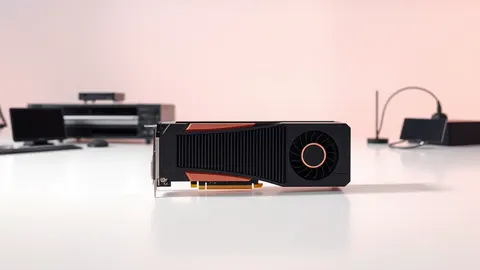
A solo developer known as Panchovix has released a new VBIOS configurator that allows users to modify settings on Nvidia RTX graphics cards without flashing the firmware. According to Tom’s Hardware, the tool supports RTX 30-series through 50-series cards and is available for both Windows and Linux environments.
The software provides a graphical user interface for configuring GPU parameters beyond the hard limits set by standard firmware. By avoiding the traditional flashing process, the tool significantly lowers the risk of permanently damaging, or bricking, the graphics processing unit. This approach offers a safer alternative for users who wish to push their hardware performance further than manufacturer defaults allow.
How the Override Mechanism Works
The configurator functions by storing modified VBIOS images in the GPU’s register key rather than on the physical flash chip. When the Nvidia driver initializes, it checks for this specific override and applies the custom settings upon restart. This process leaves the original firmware on the graphics card untouched, preserving the ability to revert to default configurations if instability occurs.
While this method prevents the catastrophic failure associated with botched flash procedures, it does not eliminate all risks. Users who apply extreme voltage or power delivery settings can still damage electrical components. The tool merely simplifies the application of settings and provides a convenient rollback mechanism, but it does not protect against hardware destruction caused by unsafe configurations.
Who Is Affected and Why
This development primarily affects enthusiasts and professionals who require fine-grained control over their GPU performance beyond what tools like MSI Afterburner or ASUS GPU Tweak provide. Those utilities have built-in limits to protect hardware, whereas the VBIOS configurator allows users to bypass these restrictions entirely.
Tom’s Hardware notes that traditional VBIOS flashing is tedious and carries a high risk of failure. If a flash process fails, users must use an SPI flash chip programmer or a Raspberry Pi Pico to manually rewrite the chip, a process that can require desoldering. The new tool eliminates this inconvenience by keeping the flash chip intact.
However, the utility of this software depends on Nvidia maintaining the registry key that permits these overrides. If the vendor removes this capability in a future driver update, the tool will cease to function. Until then, it offers a persistent way to set custom fan curves and performance profiles that stick across reboots, addressing a common frustration with other tuning software.
What should you do?
Security and system administrators should monitor their environments for unauthorized VBIOS modifications, as these tools can be used to bypass hardware security controls or hide malicious activity in system logs. Users considering this software should understand that while the flashing risk is removed, the risk of electrical damage from improper voltage settings remains.
What to do and how to stay safe: Nvidia
- Verify that any VBIOS modifications are authorized and documented within your organization's change management process.
- Monitor system stability and hardware temperatures closely after applying custom GPU configurations to detect potential electrical stress.
- Keep a backup of original GPU settings and drivers to facilitate rapid rollback if the Nvidia registry key support is removed.
- Review vendor driver release notes for any changes to VBIOS override capabilities that might affect existing configurations.
Step-by-step guide: Mobile Device Security: How to Protect Data Beyond Passwords
General security guidance from the Threat Times newsroom. It is not confirmed advice from the organisations named in this story.
Frequently asked questions
Does this tool support older Nvidia GPU series?
According to Tom’s Hardware, the tool is designed for RTX 30-series through 50-series cards.
Can this software brick my graphics card?
The tool avoids flashing the chip, which reduces bricking risk, but extreme settings can still damage electrical components.
Is this tool available for Linux users?
Yes, the configurator released by Panchovix is available for Linux in addition to Windows.