Apple Watch Ultra 4 action button offers expanded controls and automation features
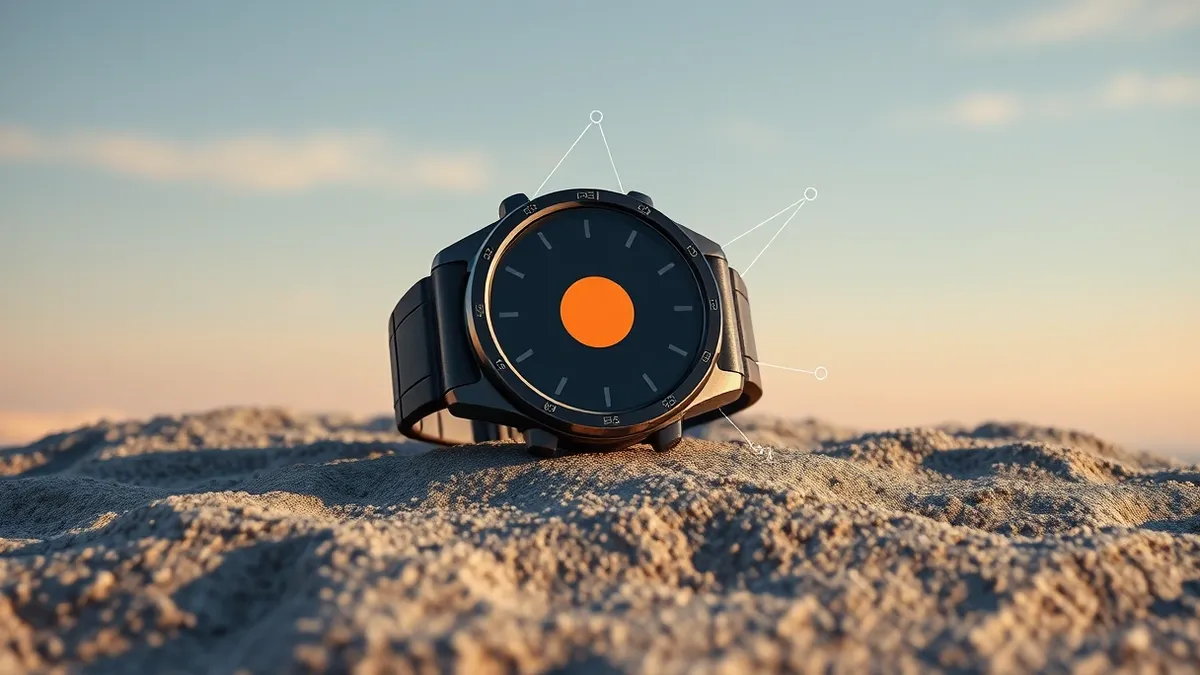
The orange shortcut button on the new Ultra 4 supports quick switching, emergency sirens, and deeper integration with watchOS 27 automation tools.
Key points
- The action button allows users to swap functions on the fly via a Quick Switch menu.
- Users can assign commands like Flashlight, Workout, or Dive to the single hardware key.
- The button can trigger the emergency siren to attract attention in wilderness scenarios.
Apple has expanded the functionality of the action button on the Apple Watch Ultra 4, allowing users to assign a broader range of commands to the orange hardware key. According to Engadget, the button serves as a quick shortcut for various utilities, from launching workouts to controlling smart home devices, without navigating through menus.
The action button is located next to the speaker grille and replaces the need for tapping through complications. Users can assign one command at a time, but holding the button briefly reveals a Quick Switch menu. This feature enables users to change the single-tap function instantly, which Engadget notes is particularly useful for outdoor navigation and daily habits.
Functionality and Automation
The button supports several straightforward options, including Flashlight, Voice Memo, Translate, and Recognize Music. Engadget reports that pressing the button once starts these functions, while pressing it again stops them. The Recognize Music feature benefits from Apple's new Audio Intelligence capabilities, allowing for nearly instant detection on the Ultra 4.
More complex assignments include Workout, Stopwatch, and Dive. For Stopwatch, a single press starts timing, a second press marks a lap, and simultaneous presses of the action and side buttons pause the timer. The Dive function starts aquatic tracking with a regular press, while a combined press launches a secondary app-specific function.
Hardware Context
The Apple Watch Ultra 4 costs $800 and is positioned as a rugged option for high-energy activities. Engadget states it offers up to 50 hours of battery life, compared to the daily charging required for the Series 12. The device includes satellite features and improved GPS accuracy, which the outlet suggests could be vital for safety on wilderness treks.
Apple tends to downplay the action button compared to other features, but it provides access to commands that standard Watch owners must reach via menus. Engadget calls the feature an obvious, low-cost addition that is notably absent from Series devices, despite its utility for users who rely on quick hardware shortcuts.
Who is affected
Owners of the Apple Watch Ultra 4 can immediately utilize these features. The functionality is enhanced by automation upgrades in watchOS 27 and iOS 27, according to Engadget. Users who engage in running, hiking, weightlifting, or diving can benefit from the dedicated hardware shortcut for starting activities or accessing tools like the emergency siren.
The emergency siren can be activated via the action button to attract attention if a user is lost or injured. This safety feature, combined with the device's durability and battery life, targets users who require reliable tools in remote or high-intensity environments.
What should you do?
Users should configure the action button to match their most frequent activities via Settings > Action Button. Engadget advises exploring the Quick Switch menu to understand how to swap functions on the fly. Those interested in music recognition should ensure their device is updated to leverage the Audio Intelligence improvements.
What to do and how to stay safe: Apple Watch Ultra 4
- Assign a frequently used app or function to the action button to reduce menu navigation time.
- Test the Quick Switch menu by holding the button to ensure you can swap functions quickly during activities.
- Verify that your watchOS is updated to version 27 to access the full range of automation upgrades mentioned.
- Familiarize yourself with the emergency siren activation to ensure you can use it effectively in safety scenarios.
Step-by-step guide: Mobile Device Security: How to Protect Data Beyond Passwords
General security guidance from the Threat Times newsroom. It is not confirmed advice from the organisations named in this story.
Frequently asked questions
Can I assign multiple apps to the Apple Watch Ultra 4 action button?
You can only assign one command at a time, but you can swap functions on the fly using the Quick Switch menu.
Does the action button work on the Apple Watch Series 12?
No, Engadget notes that the action button is a feature exclusive to the Ultra models and is not on Series devices.
How do I stop the Stopwatch function started by the action button?
Press the action button and the side button simultaneously to pause the Stopwatch timer.