Fake Antivirus Warning Signs: How to Spot and Remove Rogue Security Software
Rogue security tools often install legitimate system hooks to block removal, turning your own defense mechanisms into barriers against cleaning the infection.

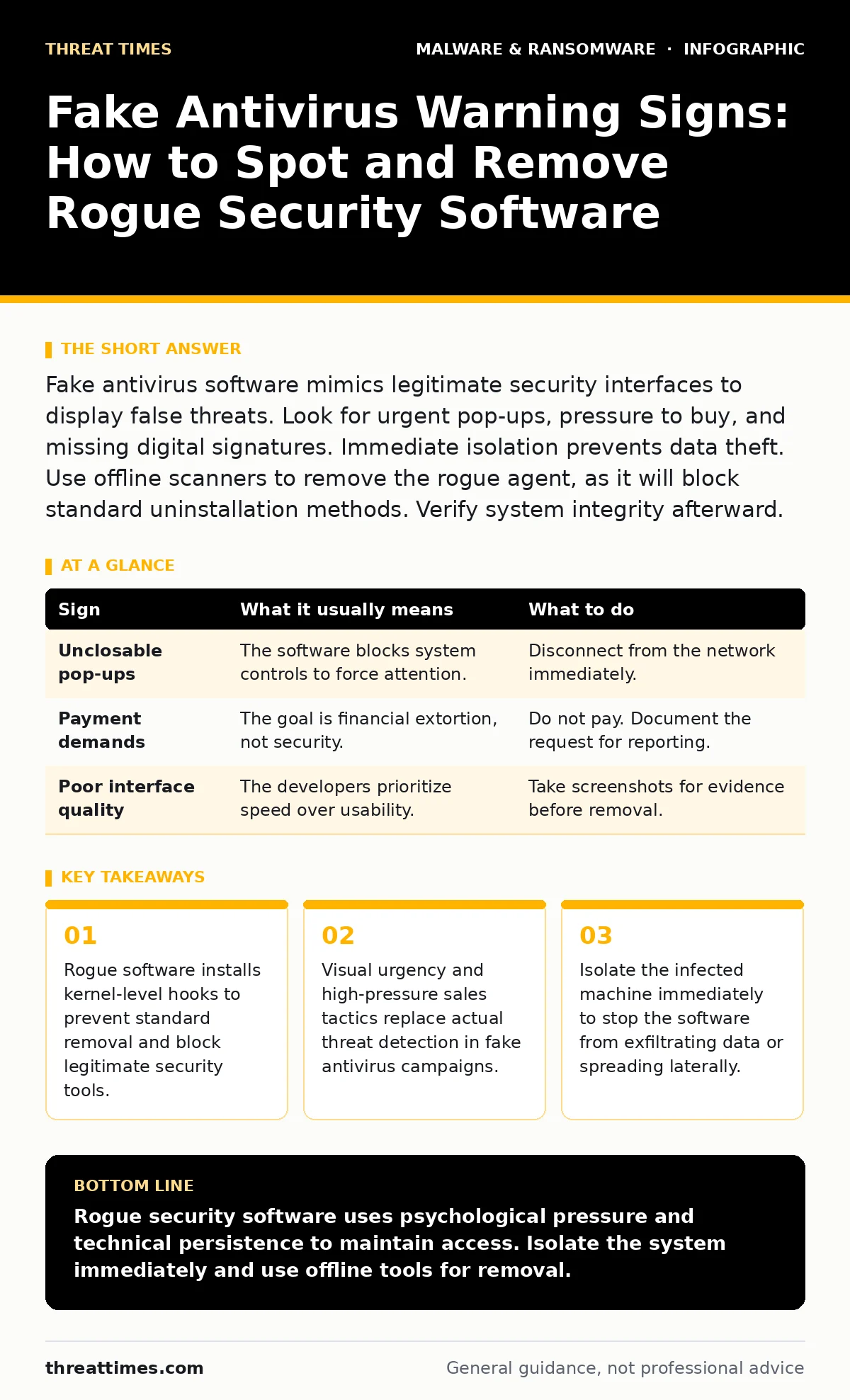
Fake antivirus software mimics legitimate security interfaces to display false threats. Look for urgent pop-ups, pressure to buy, and missing digital signatures. Immediate isolation prevents data theft. Use offline scanners to remove the rogue agent, as it will block standard uninstallation methods. Verify system integrity afterward.
What Fake Antivirus Software Actually Does
Fake antivirus software, often called rogue security software, mimics legitimate protection tools to deceive users. These programs scan the system and report non-existent threats. They demand payment to remove these fabricated issues. The software often includes actual malware components that steal credentials or install additional payloads. It does not provide any real security benefit. Instead, it creates a false sense of safety while compromising the system. Understanding the mechanism helps you recognize the deception before financial or data loss occurs.
Obvious Signs of Rogue Security Tools
The most visible indicators appear immediately after installation or execution. These signs rely on psychological pressure rather than technical subtlety. You will notice aggressive pop-up windows that cannot be closed. The interface often uses poor grammar or spelling errors in alerts. The software demands immediate payment via prepaid cards or cryptocurrency. It may disable the task manager to prevent you from ending the process. These behaviors violate standard software design principles. Legitimate security vendors do not use fear tactics to drive sales.
| Sign | What it usually means | What to do |
|---|---|---|
| Unclosable pop-ups | The software blocks system controls to force attention. | Disconnect from the network immediately. |
| Payment demands | The goal is financial extortion, not security. | Do not pay. Document the request for reporting. |
| Poor interface quality | The developers prioritize speed over usability. | Take screenshots for evidence before removal. |
Subtle Signs That Slip Past Users
Some rogue tools hide deeper in the operating system. They may register as legitimate services to avoid detection. The digital signature might be valid but from an unknown or revoked certificate authority. This allows the software to bypass basic trust checks. The process name might mimic a known system component, such as using a slight variation of a Windows service name. File locations may appear in temporary folders rather than standard program directories. These signs require closer inspection than a casual glance.
Why Standard Removal Fails
Rogue security software often installs kernel-level hooks or drivers. These components load early in the boot process. They intercept system calls to block removal attempts. When you try to uninstall the software, it may fail silently or restart the computer. It might also block access to the registry editor or command prompt. This design ensures the software persists until the user pays. Standard antivirus tools may struggle to remove these hooks because they run at a similar privilege level. You need specialized offline tools to break this persistence.
Immediate Steps After Detection
Isolate the infected machine from the network immediately. This prevents the software from sending stolen data or downloading additional payloads. Do not attempt to use the infected machine to communicate about the incident. Use a separate, clean device to document the signs. Take screenshots of the pop-ups and error messages. Note the process names and file paths. This documentation helps in forensic analysis and reporting. Avoid interacting with the rogue software further.
See also: Endpoint Detection and Response Examples: How EDR Stops Hidden Threats · How Polymorphic Malware Works: The Step-by-Step Mutation Process
Removing the Rogue Software
Boot the computer into Safe Mode with Networking disabled. This prevents the rogue drivers from loading. Use a reputable, offline scanner to detect and remove the malware. These scanners run from external media and do not rely on the infected system's processes. They can identify and remove the rogue software and its persistence mechanisms. After removal, perform a full system scan with your primary endpoint detection and response (EDR) solution. This ensures no remnants remain. Change all passwords from a clean device.
Preventing Future Infections
Keep your operating system and applications updated. Patches close vulnerabilities that rogue software often exploits for installation. Configure your browser to block pop-ups and malicious scripts. Use an allowlist for software installation rather than relying on user judgment. Educate users to recognize high-pressure tactics. Verify software sources before downloading. Check digital signatures and publisher details. Regular system audits can detect unauthorized changes early. This proactive approach reduces the attack surface significantly.
Understanding the Broader Threat
Rogue security software is part of a larger ecosystem of malicious tools. It often serves as an initial access point for more advanced threats. Attackers may use it to install polymorphic malware that changes its code to avoid detection. This makes subsequent removal difficult. The initial deception lowers user defenses, allowing deeper penetration. Understanding this chain helps in designing better detection strategies. It also highlights the need for layered security controls.
Conclusion of Immediate Actions
Verify that all system services are running normally. Check for any remaining suspicious processes. Monitor network traffic for unusual activity. Report the incident to your security team. Update your security policies to reflect the lessons learned. This incident demonstrates the importance of user awareness and technical controls. Combining both approaches provides the best defense against rogue software. Stay alert for new variants that may evolve over time.
Key takeaways
- Rogue software installs kernel-level hooks to prevent standard removal and block legitimate security tools.
- Visual urgency and high-pressure sales tactics replace actual threat detection in fake antivirus campaigns.
- Isolate the infected machine immediately to stop the software from exfiltrating data or spreading laterally.
Rogue security software uses psychological pressure and technical persistence to maintain access. Isolate the system immediately and use offline tools for removal.
Frequently asked questions
Can fake antivirus software steal my passwords?
Yes, many rogue tools include keyloggers or credential harvesters that capture login information while you interact with the fake interface.
Is it safe to pay to remove the fake antivirus?
No, paying does not guarantee removal. The attackers often ignore payments or provide broken tools, leaving the malware on your system.
How do I know if my real antivirus is working?
Check for regular updates, valid digital signatures, and consistent threat detection logs. Legitimate tools do not use aggressive pop-ups for sales.
Can fake antivirus spread to other computers?
Yes, some variants include worm-like capabilities that scan the network for vulnerable machines and install themselves automatically.
How this guide was produced: written by the Threat Times editorial team with AI assistance, checked against the public references listed below, and reviewed when the facts change. See our editorial policy or report an error.