Router Firmware Vulnerabilities: Risks and Protection for Small Businesses
Default router firmware often lacks the patching mechanisms required to stop modern network intrusions, turning cheap hardware into persistent entry points.

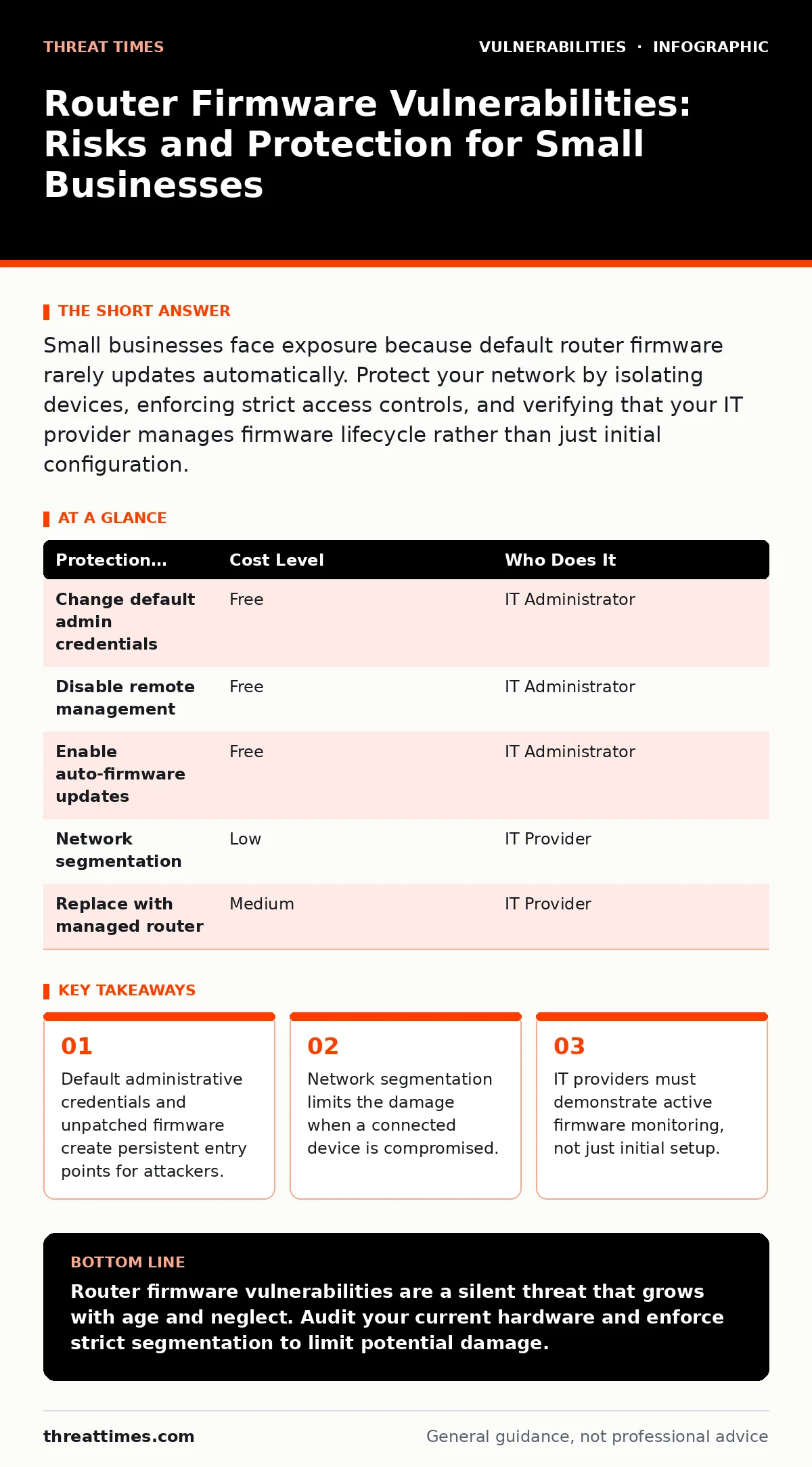
Small businesses face exposure because default router firmware rarely updates automatically. Protect your network by isolating devices, enforcing strict access controls, and verifying that your IT provider manages firmware lifecycle rather than just initial configuration.
The Hidden Cost of Consumer-Grade Hardware
Small organizations often deploy consumer-grade networking equipment to reduce initial capital expenditure. This hardware typically runs firmware that lacks enterprise-grade security features. Consumer routers are designed for home use, where the threat model assumes a single household. They do not assume an attacker is scanning the public IP range for known vulnerabilities. The firmware update mechanism in these devices is often manual or absent. This creates a static attack surface that grows older and more vulnerable with each passing month.
The trade-off is clear: lower upfront costs versus higher long-term risk. When a vulnerability is disclosed, the manufacturer may release a patch. If the device does not apply it automatically, the burden falls on the administrator. Many small business owners lack the technical expertise to monitor vendor security advisories. This gap allows attackers to exploit known issues for extended periods. The hardware becomes a liability rather than an asset.
Why Small Organizations Remain Exposed
Small organizations are exposed because they often treat network infrastructure as a "set it and forget it" utility. This mindset ignores the dynamic nature of cyber threats. Attackers use automated tools to scan for devices with default settings. These tools look for open ports and default usernames such as "admin". When found, they attempt known password combinations. If the firmware has not been updated, the attacker gains administrative control.
Another exposure vector is the lack of network segmentation. In many small offices, all devices share the same flat network. A compromised printer or IoT device can communicate directly with the accounting server. This violates the principle of least privilege. The firmware does not enforce traffic rules between device types. Consequently, a single weak link compromises the entire environment. This architectural flaw amplifies the impact of any firmware vulnerability.
Low-Cost Protections for Limited Budgets
You can mitigate these risks without replacing your entire network infrastructure. Start by changing default administrative credentials. Use unique, complex passwords for the router management interface. This prevents brute-force attacks from gaining initial access. Next, disable remote management features. Allowing access from the internet to the router’s configuration page is unnecessary for most small businesses. It exposes the management interface to global scanning bots.
Enable firmware auto-updates if the device supports it. If automatic updates are unavailable, schedule a monthly review of the vendor’s support page. Apply patches as soon as they are released. Isolate guest networks from your primary business network. This ensures that visitors or untrusted devices cannot access internal resources. These steps require time, not money. They significantly reduce the likelihood of a successful intrusion.
| Protection Measure | Cost Level | Who Does It |
|---|---|---|
| Change default admin credentials | Free | IT Administrator |
| Disable remote management | Free | IT Administrator |
| Enable auto-firmware updates | Free | IT Administrator |
| Network segmentation | Low | IT Provider |
| Replace with managed router | Medium | IT Provider |
Segmenting the Network to Limit Damage
Network segmentation divides your network into smaller, isolated zones. This limits the lateral movement of an attacker. If a device on the guest network is compromised, the attacker cannot reach the main office network. The router firewall rules enforce this separation. You must configure Virtual Local Area Networks (VLANs) to create these zones. Most modern routers support VLANs, even if they are not enabled by default.
Segmentation also helps with compliance requirements. Many regulations require that payment card data be isolated from other systems. By keeping these systems on separate networks, you reduce the scope of audits. This architectural change is a fundamental security control. It does not prevent the initial breach, but it contains the blast radius. This containment is critical for maintaining business continuity during an incident.
What to Ask Your IT Provider
Many small businesses outsource IT management. You must verify that your provider actively manages router firmware. Do not assume that "managed services" includes security patching. Ask specific questions about their process. Request documentation on how they monitor for firmware updates. Ask for their response time to critical security advisories. These details reveal the depth of their security posture.
Your provider should also offer advice on hardware lifecycle. Consumer routers have a shorter support lifespan than enterprise equipment. Ask when the current hardware will reach end-of-life. Plan for replacement before support ceases. This proactive approach prevents running unsupported software. A provider who only reacts to break/fix issues is not managing your risk. They are merely maintaining connectivity.
- How do you monitor for router firmware vulnerabilities?
- What is your process for applying firmware patches?
- Do you configure network segmentation (VLANs) for small clients?
- How do you handle the end-of-life cycle for networking hardware?
The Role of Hardware Lifecycle Management
Hardware has a finite security lifespan. Manufacturers stop producing firmware updates after a certain period. This is known as end-of-life. Once a device reaches this stage, it can no longer be patched against new vulnerabilities. Running end-of-life hardware is a significant security risk. You must track the release dates and support policies of your networking equipment.
Enterprise-grade routers typically have longer support cycles. They also offer more granular control over security settings. While the initial cost is higher, the total cost of ownership may be lower. You avoid the hidden costs of incident response and downtime. Consider the router as a security control, not just a connectivity device. This shift in perspective justifies the investment in better hardware. It aligns your infrastructure with your security goals.
Integrating with Broader Security Practices
Router security does not exist in a vacuum. It interacts with other security controls. For example, if you manage external access through a remote access solution, you should also review guides on vulnerabilities in VPN appliances. These appliances often sit behind the router and can introduce their own risks. Similarly, if your business uses cloud services, understanding OAuth misconfigurations helps prevent credential theft that could bypass network perimeters.
A holistic view of your attack surface management ensures that no single point of failure compromises the entire organization. While router firmware is critical, it is just one layer. You must also consider the security of your applications. Misconfigurations in web applications, such as GraphQL vulnerabilities, can lead to data exposure even with a secure network. Each layer must be hardened independently. This defense-in-depth strategy provides resilience against diverse attack vectors.
Key takeaways
- Default administrative credentials and unpatched firmware create persistent entry points for attackers.
- Network segmentation limits the damage when a connected device is compromised.
- IT providers must demonstrate active firmware monitoring, not just initial setup.
Router firmware vulnerabilities are a silent threat that grows with age and neglect. Audit your current hardware and enforce strict segmentation to limit potential damage.
Frequently asked questions
How often should router firmware be updated?
Update immediately when a security patch is released. If automatic updates are not available, check for updates monthly to ensure you are running the latest secure version.
Can I use a consumer router for my business?
You can, but you must accept the higher risk. Consumer routers lack advanced security features and often have shorter support lifecycles. Implement strict segmentation and change all default settings.
What is network segmentation?
Network segmentation divides your network into separate zones. This limits the spread of malware or unauthorized access from one part of the network to another.
How do I know if my router is vulnerable?
Check the manufacturer’s website for security advisories. Compare your current firmware version with the latest available version. If your device is no longer supported, it is considered vulnerable.
How this guide was produced: written by the Threat Times editorial team with AI assistance, checked against the public references listed below, and reviewed when the facts change. See our editorial policy or report an error.