Googlebooks Laptops Face Connectivity and Stability Issues in Early Reviews
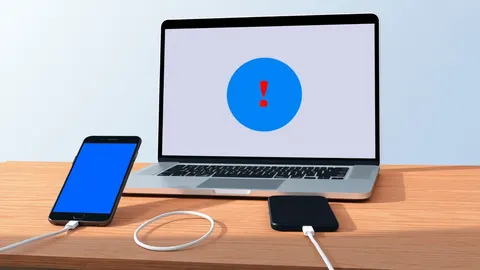
Early hands-on testing of Googlebooks laptops reveals severe connectivity flaws and software instability that affect core productivity software performance.

Key points
- Googlebooks laptops suffer from severe connectivity and file-sharing problems during initial use.
- Core productivity applications on the devices lack full feature parity with desktop versions.
- Software stability issues were reported by reviewers within the first week of testing.
Early hands-on evaluations of Googlebooks laptops reveal significant technical hurdles during the initial period of use. According to a report by The Verge, the Android-powered devices experienced a rocky start marked by severe connectivity problems and notable software instability that affected core user experiences.
Reviewer Dominic Preston noted that the first week of use with the new hardware was marked by persistent technical friction. The devices struggled with basic file-sharing capabilities and suffered from connectivity issues, which undermined the reliability expected from modern computing platforms. These early issues suggest that the software integration requires further refinement before the devices can be considered stable for consistent use.
Connectivity and Software Stability Concerns
The primary technical failures identified in the early review centered on network connectivity and system stability. According to The Verge, the laptops experienced severe connectivity issues that disrupted normal operation. These problems were not isolated incidents but appeared to be systemic during the initial week of testing.
File-sharing functionality also proved unreliable, creating friction for users attempting to transfer data between devices or cloud services. The combination of connectivity issues and unstable file handling meant that basic tasks became difficult to complete efficiently. This lack of reliability is particularly concerning for a device intended to serve as a primary computing tool for users who depend on constant internet access.
Productivity Software Limitations
Beyond hardware connectivity, the software ecosystem on Googlebooks laptops presents limitations for power users. Core productivity applications do not offer full parity with their desktop counterparts, according to the assessment by The Verge. This means that users may find themselves unable to perform certain advanced functions that are standard on traditional Windows or macOS systems.
For Android devotees and professionals who rely on specific features within productivity suites, this lack of feature completeness is a significant drawback. The reviewer expressed a desire to embrace the new platform but noted that the current state of the software makes it difficult to recommend for users who require robust, desktop-equivalent tools. The gap in functionality highlights the challenges of porting complex desktop software to a mobile-first operating system.
What should you do?
Organizations considering a transition to Android-based laptops should conduct rigorous pilot testing before large-scale deployment. IT managers need to verify that specific connectivity requirements and file-sharing protocols function reliably in their network environments. Users should also audit their essential productivity software to ensure that the Android versions provide the necessary features for their daily tasks.
What to do and how to stay safe: Googlebooks
- Verify that your organization's file-sharing protocols are compatible with Android-based operating systems before deploying new hardware.
- Test core productivity applications on the target devices to confirm they meet your specific feature requirements and workflow needs.
- Monitor network connectivity logs during pilot periods to identify any persistent stability issues that could impact business operations.
- Evaluate whether the lack of full desktop parity in software suites will hinder the productivity of your most demanding users.
General security guidance from the Threat Times newsroom. It is not confirmed advice from the organisations named in this story.
Frequently asked questions
What specific issues were found in early reviews of Googlebooks laptops?
Early reviews cited severe connectivity problems, unreliable file-sharing, and general software stability issues that impacted usability.
Do productivity apps on these laptops match desktop versions?
No, core productivity software on the devices lacks full feature parity with traditional desktop applications, according to The Verge.
How long did the reviewer test the devices before reporting these issues?
The reviewer reported experiencing these significant technical hurdles during the first week of using the new Android-powered laptops.