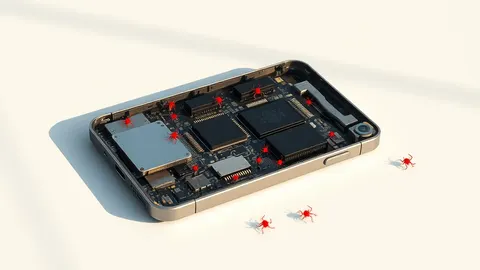
Bitdefender finds firmware malware on MediaTek Android phones
Preinstalled malware on low-cost Android devices turns phones into proxies and installs apps without user consent, researchers say.
Key points
- Bitdefender tracks the threat as Midnight Mimosa.
- The malware runs with system-level privileges on MediaTek devices.
- It disables Google Play Store to bypass security checks.
Bitdefender researchers have identified a malware campaign named Midnight Mimosa that targets low-cost Android smartphones built on MediaTek platforms. The malicious software is baked directly into the device firmware, allowing attackers to covertly install applications and turn infected phones into residential proxies, according to The Hacker News.
The malware, identified by the package name "com.android.system.lite," operates with system-level privileges. This high level of access enables the software to install or uninstall apps, grant itself permissions for accessibility services, notifications, and SMS, and load arbitrary code supplied remotely by the operators, Bitdefender stated.
How the malware operates
The malware fetches remote configuration data from an external server and then downloads additional payloads. These payloads are designed to conduct ad fraud and silently install or remove partner applications. The installed apps incorporate proxyware, ad fraud capabilities, and code execution features, allowing operators to manage the devices remotely.
Bitdefender noted that the malware itself does not perform fraudulent clicks. Instead, it installs dropper apps that masquerade as harmless utilities. These droppers use a legitimate advertising SDK to load genuine ads, creating an invisible window over other apps to register ad views and generate revenue for the attackers.
A key evasion technique involves disabling the Google Play Store app before installing a payload. This action likely bypasses Play Protect safeguards. After the payload is executed, the malware re-enables the Google Play Store, attempting to leave no trace of the interference, according to the Romanian cybersecurity company.
Affected devices and scope
The campaign targets Android devices built on MediaTek platforms across several brands. Bitdefender detected the malware on devices with firmware signed using certificates attributed to Shenzhen Zediel Co., Ltd, a Chinese Android device manufacturer. This indicates the compromise occurs at the manufacturing or firmware level rather than through user-side infection.
The scope extends beyond preinstalled firmware. Bitdefender discovered 13 apps on Google Play that communicate with the same servers controlling the malware. This suggests the campaign is not limited to devices shipped with infected firmware but may also distribute malicious components through the official app store.
The operators use these infected devices as zombie nodes in large botnets. They collect device information and installed app data while turning the phones into residential-proxy relay nodes. This infrastructure allows them to mask their activities and generate revenue through ad and click fraud schemes.
What should you do?
No fix has been confirmed yet for the firmware-level compromise. Users should monitor their device for unusual battery drain or data usage, which may indicate background proxy activity. Check for unknown apps in the device settings and remove any suspicious utilities that were not intentionally installed.
Background: Firmware malware
Firmware malware infects the low-level software that initializes hardware before the operating system loads. Because it operates outside the OS, traditional antivirus tools often miss it. Detecting it requires analyzing boot processes and using specialized firmware verification tools, while removal usually involves reflashing the firmware with a known good image.
Read the full guide: Firmware Malware: How to Detect and Remove Persistent Threats
What to do and how to stay safe: Bitdefender
- Check installed applications for unknown utilities that may be droppers.
- Monitor network traffic for unexpected connections to external servers.
- Keep device firmware updated to patch known vulnerabilities.
- Use security software to scan for malicious system-level processes.
Step-by-step guide: Social Engineering Warning Signs and How to Respond
General security guidance from the Threat Times newsroom. It is not confirmed advice from the organisations named in this story.
Frequently asked questions
What is Midnight Mimosa malware?
It is firmware-level malware on MediaTek Android devices that installs apps and turns phones into proxies.
Which devices are affected?
Low-cost Android smartphones built on MediaTek platforms, including those from Shenzhen Zediel Co., Ltd.
How does it bypass security?
It disables the Google Play Store temporarily to bypass Play Protect during payload installation.