Apple HomeView Launches November 13 With Recipe Support And Apple Intelligence
The upcoming smart display will feature proximity-based interfaces, guest modes, and limited third-party app capabilities upon its release.
Key points
- Apple sets the HomeView launch date for November 13, introducing new smart home display features.
- The device supports Apple Intelligence for general queries but requires a linked iPhone for personal context.
- Guest mode allows visitors to control smart accessories and play music without accessing private data.
Apple confirmed that its new HomeView smart display will launch on November 13, according to MacRumors. The device introduces several distinct features for kitchen and home use, including specialized recipe interfaces and integrated Apple Intelligence capabilities. Early media previews have highlighted these functional additions ahead of the official release.
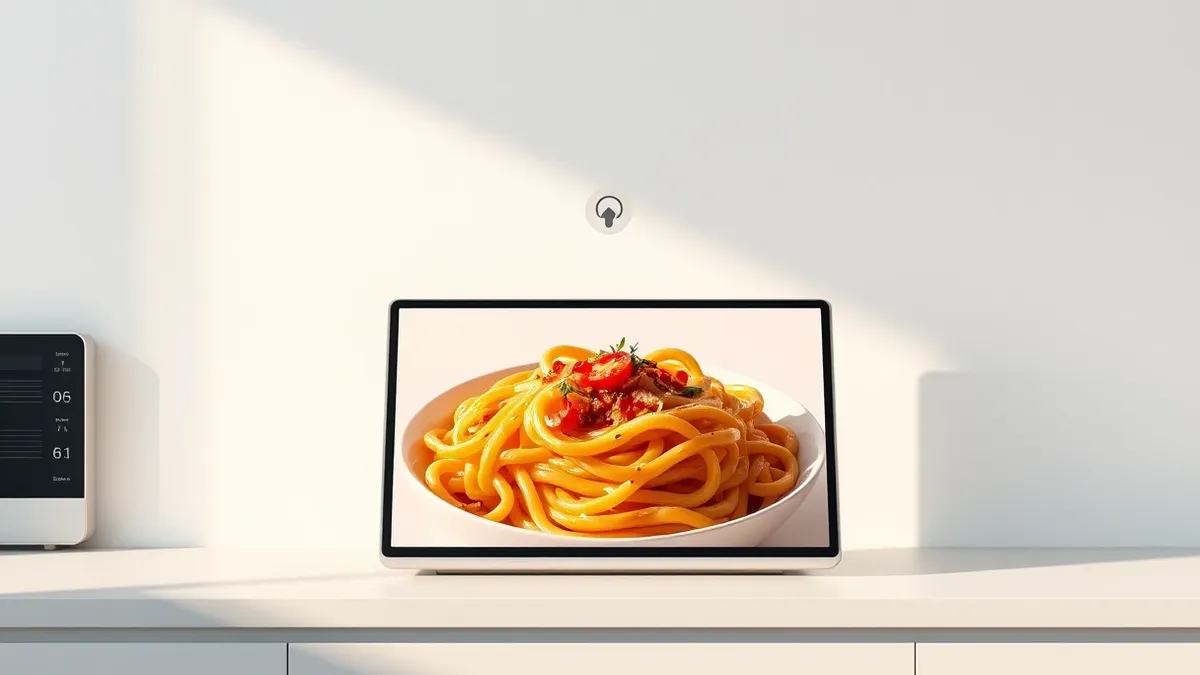
The HomeView simplifies cooking by extracting ingredients and steps from Safari recipes, allowing users to tap a button for guided instructions. It also supports multiple voice-activated timers. The display adapts its interface based on proximity, showing larger, simplified information when users are across the room and detailed views as they approach.
Core Features and Capabilities
Siri access on the HomeView is available via voice commands in English, swipe gestures, or typing. The device includes built-in Apple Intelligence features that allow household members to ask general knowledge questions. However, users must have a compatible Apple Intelligence iPhone or iPad to handle requests involving personal context, as the HomeView itself cannot process private data independently.
Third-party application support operates differently than standard iOS devices. There is no App Store on the HomeView. Instead, it mirrors CarPlay-like audio and video apps from a linked iPhone. Currently, only Apple TV offers video apps for this platform, meaning developers must explicitly add support to enable video content on the display.
User Privacy and Smart Home Integration
The HomeView distinguishes between residents and guests through a dedicated guest mode. While personal data remains private to the household, guests can control smart home accessories, check weather conditions, set timers, and play music. Visitors can also AirPlay audio to the device using peer-to-peer discovery, facilitating shared listening without compromising account security.
The device includes physical sensors for temperature and humidity, which can trigger HomeKit automations and scenes. It also supports Live Activities, keeping timers and intercom messages visible on screen while other apps are in use. Multiple customizable faces, including animated options that respond to time of day and weather, personalize the visual experience.
What should you do?
Security and technology professionals should monitor the official November 13 launch for security documentation regarding the HomeView’s network footprint. Since the device relies on a linked iPhone for personal context and third-party apps, organizations managing smart home deployments should verify how data flows between the display and the host device. Users should review guest mode permissions to ensure visitors cannot access unintended smart home functions.
What to do and how to stay safe: Apple
- Verify that the linked iPhone has the latest security patches before pairing it with the new HomeView.
- Review guest mode settings to ensure visitors can only access intended smart home accessories and music.
- Monitor Apple’s developer documentation for updates on third-party app security requirements for CarPlay-like integrations.
- Check local network configurations to ensure the HomeView can communicate securely with other HomeKit devices and sensors.
Step-by-step guide: Mobile Device Security: How to Protect Data Beyond Passwords
General security guidance from the Threat Times newsroom. It is not confirmed advice from the organisations named in this story.
Frequently asked questions
Can I install third-party apps directly on the Apple HomeView?
No, the HomeView does not have an App Store; it displays CarPlay-like apps from a linked iPhone.
Does the HomeView support Apple Intelligence without an iPhone?
It supports general knowledge questions via Siri, but personal context requires a compatible Apple Intelligence iPhone or iPad.
How does the HomeView handle guest privacy?
Personal data remains private, but guests can control smart home devices, set timers, and play music.