SaaS Account Takeover Explained: How Identity Theft Works
Attackers rarely break into SaaS software directly; they steal the digital keys you already hold to walk through the front door with full authority.

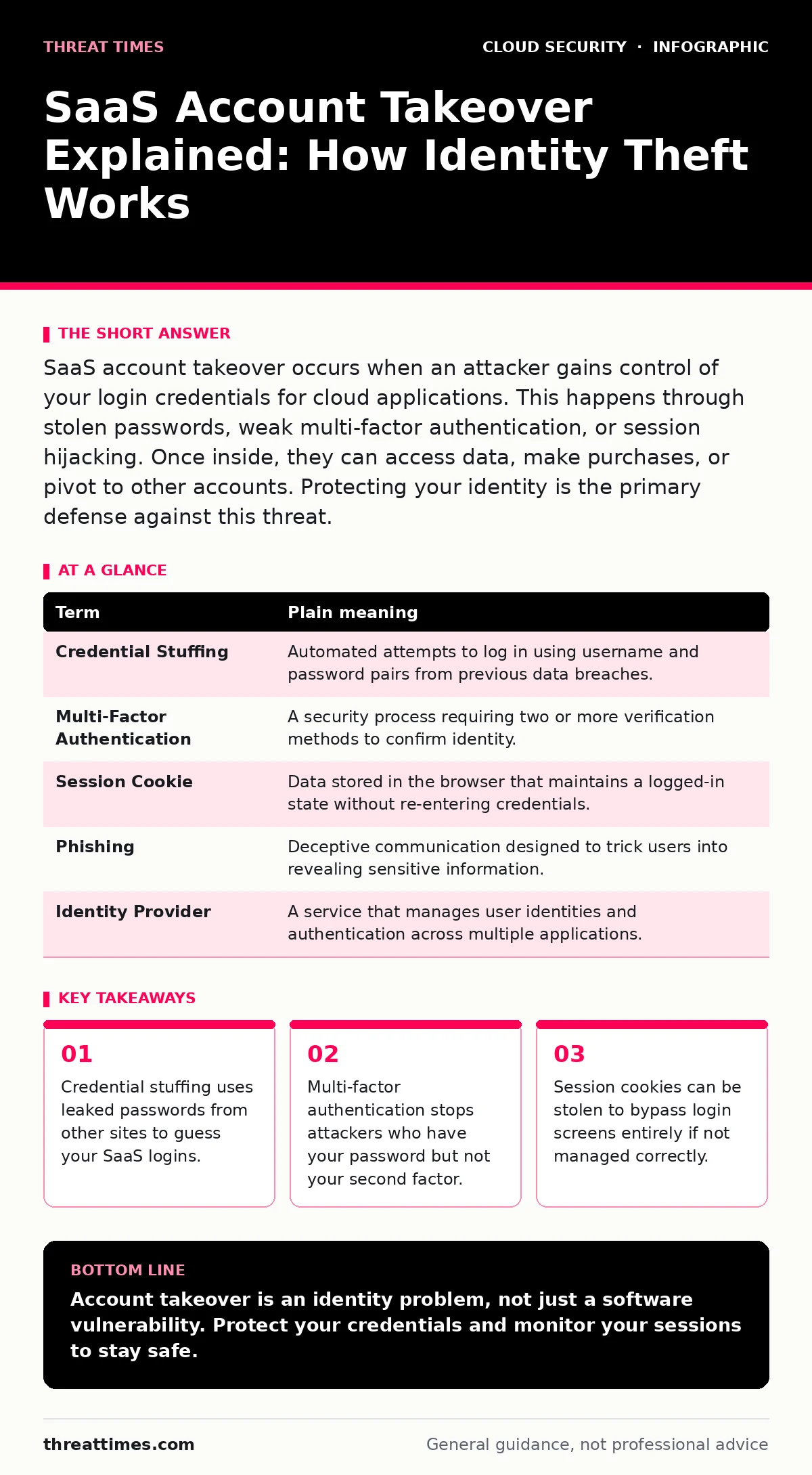
SaaS account takeover occurs when an attacker gains control of your login credentials for cloud applications. This happens through stolen passwords, weak multi-factor authentication, or session hijacking. Once inside, they can access data, make purchases, or pivot to other accounts. Protecting your identity is the primary defense against this threat.
The Digital House Key Analogy
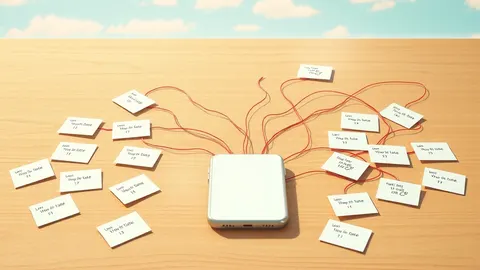
Imagine your SaaS applications are offices in a large corporate building. You have a physical keycard that opens the main lobby and your specific office door. This keycard represents your username and password. Normally, the security guard checks your face or fingerprint before letting you in. This extra check is multi-factor authentication. Attackers do not usually pick the lock of the office door. Instead, they steal your keycard from your wallet or clone it from a distance. Once they have the keycard and bypass the guard, they walk in as if they are you. They can read your files, move your furniture, or even photocopy the keycard to enter other offices.
How Attackers Enter the Building
Attackers rarely write complex code to break into the software itself. They target the identity layer. This is the system that verifies who you are before granting access. The most common method is credential stuffing. Attackers take lists of usernames and passwords leaked from old data breaches. They automate tools to try these combinations on popular SaaS platforms. If you reuse passwords, one breach gives them access to many services. Another method is phishing. This involves sending deceptive emails that look like they come from the service provider. The email asks you to click a link and enter your credentials. When you do, you hand the keys directly to the attacker.
The Hidden Cost of Convenience
Convenience often undermines security. Many users enable "remember this device" or keep sessions active for long periods. This creates a session cookie. A session cookie is a small piece of data stored in your browser that tells the server you are already logged in. If an attacker steals this cookie, they do not need your password. They can insert the cookie into their browser and gain immediate access. This bypasses multi-factor authentication entirely. The service sees a valid session and grants entry. This is why logging out of shared or public computers is necessary. It destroys the local session cookie and forces a new login verification.
What This Means for Your Data
When an attacker takes over a SaaS account, they inherit your permissions. If you have administrative rights, they can change settings, export data, or create new accounts. This allows them to persist in your environment. They can also use your account to send phishing emails to your contacts. This spreads the attack to your network. For ordinary users, the risk is personal data exposure and financial loss. Attackers can change billing information or subscribe to paid services in your name. The damage is often not immediate. It can take weeks for you to notice unusual activity. By then, the attacker may have already exfiltrated sensitive information.
Mini Glossary of Terms
| Term | Plain meaning |
|---|---|
| Credential Stuffing | Automated attempts to log in using username and password pairs from previous data breaches. |
| Multi-Factor Authentication | A security process requiring two or more verification methods to confirm identity. |
| Session Cookie | Data stored in the browser that maintains a logged-in state without re-entering credentials. |
| Phishing | Deceptive communication designed to trick users into revealing sensitive information. |
| Identity Provider | A service that manages user identities and authentication across multiple applications. |
Simple Safety Habits
You can reduce the risk of account takeover with specific habits. First, use a unique password for every SaaS application. This ensures that a breach on one site does not compromise your others. Second, enable multi-factor authentication on every account that supports it. Prefer hardware security keys or authenticator apps over SMS codes. SMS codes can be intercepted through SIM swapping. Third, review your active sessions regularly. Most SaaS platforms show a list of devices currently logged in. If you see a device you do not recognize, log it out immediately. This cuts off the attacker’s access.
Try This Now
- Check your password manager or browser history for reused passwords across different SaaS accounts. Change any that are identical to passwords used on other sites.
- Enable multi-factor authentication on your most critical accounts, such as email and financial services, using an authenticator app rather than text messages.
- Review the "active sessions" or "recent activity" section in your primary SaaS account settings to ensure no unknown devices are logged in.
Key takeaways
- Credential stuffing uses leaked passwords from other sites to guess your SaaS logins.
- Multi-factor authentication stops attackers who have your password but not your second factor.
- Session cookies can be stolen to bypass login screens entirely if not managed correctly.
- Monitoring login activity helps you detect unauthorized access before significant damage occurs.
Account takeover is an identity problem, not just a software vulnerability. Protect your credentials and monitor your sessions to stay safe.
Frequently asked questions
Can I get a SaaS account taken over if I have a strong password?
Yes, if you reuse that password on another site that gets breached, attackers will try it on your SaaS account. They can also steal session cookies or trick you into logging in via phishing.
Why is SMS two-factor authentication less secure?
SMS messages can be intercepted by attackers who control the mobile network or through SIM swapping. An attacker can redirect your text messages to their own phone.
How do I know if my account has been taken over?
Look for unexpected password change emails, unfamiliar login locations, or missing files. Check the active session list in your account settings for unknown devices.
Is using a password manager safe?
Yes, a password manager generates and stores unique, complex passwords for each site. This prevents credential stuffing attacks. Ensure the manager itself is protected with strong authentication.
How this guide was produced: written by the Threat Times editorial team with AI assistance, checked against the public references listed below, and reviewed when the facts change. See our editorial policy or report an error.