Threat Intel Reveals Fake Google Meet Sites Stealing Credentials and 2FA Codes
Two domains hosting counterfeit Google Meet pages are harvesting account details and bypassing two-factor authentication, researchers report.

Key points
- Two domains, meet-google[.]cyou and qooglo[.]com, host fake Google Meet login pages.
- An exposed /install path on the infrastructure leaks database configuration and a prefilled password.
- The campaign targets Google credentials and two-factor authentication codes to compromise accounts.
Researchers identified two websites hosting counterfeit Google Meet pages designed to steal user credentials and facilitate two-factor authentication phishing, according to threat intelligence shared on October 20, 2026. Security analyst Anurag, known online as @Malwarehunterr, documented the campaign and the specific domains involved in the credential theft operation.
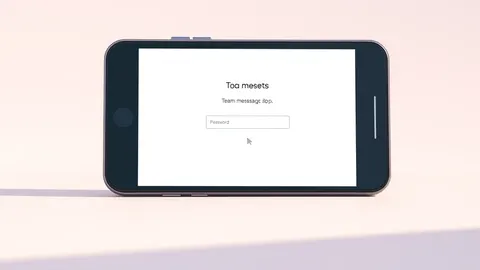
The malicious sites mimic the legitimate Google Meet interface to make requests for account details appear credible to users. The two domains identified in the report are meet-google[.]cyou and qooglo[.]com. Neither domain is owned by Google, and both use names that resemble Google-related terms to deceive visitors into trusting the page.
View the original post on X
Technical Details and Exposure
Beyond the phishing pages, the researcher reported a significant security misconfiguration on the infrastructure. An exposed /install page reveals database configuration information, including a prefilled database password. The source material does not disclose the actual password value, but analysts note this exposure highlights risks beyond simple credential harvesting.
The report does not detail the exact sign-in process flow or whether the sites relay authentication data in real time. It also lacks confirmation of how many accounts were compromised or how victims were directed to these specific URLs. The available information focuses on the presence of the fake pages and the exposed installation path.
Impact on Users
Google Meet is widely used for professional meetings, educational classes, and personal calls, making a lookalike link less likely to raise immediate suspicion. If a user enters their password or a verification code on these fake sites, criminals may use those details to attempt unauthorized access to the Google account.
A compromised account can expose more than just email content. Depending on user settings and connected services, attackers may access documents, contacts, saved information, or business data. Additionally, criminals can use the compromised account to send believable messages to the victim’s contacts, potentially spreading the phishing campaign further.
What should you do?
Google advises users to adopt stronger verification methods, such as security keys or Google prompts, which are designed to resist phishing attempts. The company also states that passkeys offer enhanced protection against credential theft. Users are encouraged to review recent security events and authorized devices if they suspect unauthorized access to their accounts.
Background: Threat intelligence program
A cyber intelligence program collects, analyzes, and distributes data about threats to help you defend your organization. It works by connecting external threat feeds to internal telemetry. You affect your security posture by prioritizing context over volume, ensuring every alert ties to a specific business risk or asset.
Read the full guide: Build a Cyber Intelligence Program That Cuts Noise and Finds Threats
What to do and how to stay safe: Google Meet
- Verify the full domain name in the browser address bar before entering any credentials, ensuring it matches the legitimate service URL exactly.
- Enable multi-factor authentication using hardware security keys or passkeys rather than SMS codes to reduce the risk of credential theft.
- Monitor account activity logs for unfamiliar sign-in locations or devices and revoke access for any unrecognized sessions immediately.
- Report suspicious links that mimic legitimate services to the vendor’s abuse team to help take down malicious infrastructure.
Step-by-step guide: Social Engineering Warning Signs and How to Respond
General security guidance from the Threat Times newsroom. It is not confirmed advice from the organisations named in this story.
Frequently asked questions
What are the fake domains used in this Google Meet phishing campaign?
The two domains identified by researchers are meet-google[.]cyou and qooglo[.]com.
Did the researchers find any exposed credentials on the phishing sites?
Yes, an exposed /install page revealed database configuration information and a prefilled database password, though the password itself was not disclosed.
How can users protect themselves from this type of phishing attack?
Users should check website addresses carefully, use passkeys or security keys for two-factor authentication, and review recent security events in their account settings.